Vhost caching issue

While I was deploying the new website, I ran into some issues where CakePHP was blowing up on missing model database tables. The weirdness was that these models were not part of my application, but were part of another application running on the same nginx box. I immediately deduced that the problem was the cache, but where was the disconnect? Since the issue was related to model caching, it had to be part of the internal CakePHP caching mechanism.

The problem was a simple one, I forgot to change the $prefix (defaults to myapp_) cache variable in Config/core.php. A small oversight, but a problematic one at that. Just a reminder to everyone else that this variable does exist and to change it when running vhosts.

Version Two

It's been 5 years since the launch of milesj.me, and 5 years of the same design. I spent my recent free time working on a new design. The new design, aptly named version 2, boasts some of the latest in technology. It utilizes HTML5, CSS3, Sass, MooTools, Titon, CakePHP, and more.

Why the change?

After 5 years, you get tired of looking at the same old design. I really wanted to utilize new HTML5 tags, as well as attempting some new CSS3 features like transitions and media queries. Releasing a new version allows for removal of certain features (like snippets), and the refactoring of old ones.

Another annoyance with the previous version was the usage of Decoda (a very very old version at that) in articles and code documentation. It caused nothing but headaches and restricted any customizability that I wanted to achieve. Decoda has its usage in certain situations; that was not one of them.

What technology is being used?

At the lowest level, HTML5 and CSS3 is used for the layout structure. Sass and Compass is used heavily to achieve responsive design at the following breakpoints: 1440, 1366, 1024, 768, 480, 320 (give it a try!). It took me a while to really enjoy Sass, but in the end, its variables, mixins and extremely easy support for responsiveness was welcoming. The Sass files relating to this site can be found by replacing css in the path to scss; for example, the style.scss and skeleton.scss.

On the outside, the Tooltip and Pin component from the Titon Toolkit, a UI toolkit for MooTools, is currently integrated. For code syntax highlighting, I am using the very powerful and nicely built Prism.js by Lea Verou. On the inside, a custom built CakePHP CMS powers everything.

What's next?

With many of my GitHub and website projects out of the way, I hope to find more time to blog about current technology. I mean, what else is there really to do?

Amazon S3 testing in Travis CI

I recently started integrating Travis CI into some of my projects. Travis is a continuous integration service that will execute your test cases in multiple different environments. I've been putting off integrating Transit into Travis because of Amazon S3 testing, but I found the time to dig into it and implement it successfully.

Preparing S3

To integrate S3 into Travis, the AWS environment must be prepared. This section can get quite lengthy and complicated, but I will keep it brief and simply. The first step is to create a new bucket and apply a lifecycle rule of 1 day to the entire bucket. This rule will delete all files in the bucket every 24 hours, which in turn requires no maintenance, cleanup and low costs on our end.

The next step is to create a new IAM group and assign the "Amazon S3 Full Access" policy permission. Once created, we need to modify the policy and change the permissions. I used the following policy for testing, which allows full S3 access to the ci-testing bucket.

{
	"Statement": [
		{
			"Effect": "Allow",
			"Action": "s3:*",
			"Resource": "arn:aws:s3:::ci-testing/*"
		}
	]
}

After the group is setup, create a new user and assign it to the group. Be sure to save/store the credentials (access and secret key) of the user as we will need them later on. It's also a good idea to set/generate a password for this user.

Integrating Travis

To make use of S3 in Travis, the appropriate variables must be set in the environment. This can be accomplished using the env:global: setting in the .travis.yml file. The region and bucket can be set using plain text.

env:
  global:
    - AWS_S3_REGION="us-east-1"
    - AWS_S3_BUCKET="ci-testing"

Like any smart developer, the access and secret keys should not be set using plain text, as this would give S3 access to anyone viewing the Travis logs. However, we can still set the private keys using encryption keys. This process requires Ruby and RubyGems to be installed (either with Cygwin, Homebrew or another package manager).

Installing RubyGems on Cygwin is rather easy. Simply download the zip and extract it to the C:/cygwin/home/ directory. Once extracted, run the following command from within the extracted folder (this requires ruby to be installed via the Cygwin setup).

ruby setup.rb

Once installed, install Travis.

gem install travis

Then use the encrypt command coupled with the -r flag (repository) to generate a secure environment key. In the example, I will be using my Transit repository.

travis encrypt -r milesj/Transit AWS_S3_KEY="<access_key>"

Add the encrypted string to the .travis.yml file. Do the process again for the secret key.

travis encrypt -r milesj/Transit AWS_S3_SECRET="<secret_key>"

The file should now look like the following:

env:
  global:
    - AWS_S3_REGION="us-east-1"
    - AWS_S3_BUCKET="ci-testing"
    - secure: "<encrypted_access_key>"
    - secure: "<encrypted_secret_key>"

These environment variables can now be accessed from the $_SERVER global within the test cases. For a full implemented example, check out my Transit library.

Changelogs: Utility v1.4.0

A new version of Utility has been released, version 1.4.0. Please download the new tag or view the documentation. If you have any questions, be sure to send me an email or comment on this post. If you run into any problems, be sure to report an issue on the Github repository.

Version: 1.4.0
Tested On: PHP 5.3.13, CakePHP 2.3.1, Composer
Requires: PHP 5.3, CakePHP 2, Composer
Commit Hash: b109b71a2d05e7b044d702c124f9faa4c4bb5771
Changes:

  • Added a BaseInstallShell and BaseUpgradeShell to handle plugin installs/upgrades
  • Added the SluggableBehavior instance as a second argument to the beforeSlug() and afterSlug() callbacks
  • Added a unique option to SluggableBehavior
  • Added append() and prepend() to BreadcrumbHelper
  • Added getCount as primary caching method in CacheableBehavior
  • Added default rule messaging fallbacks to ValidateableBehavior
  • Added getAll(), getList(), getCount(), getById() and getBySlug() to CacheableBehavior which can be called from the Model layer
  • Added Decoda configuration to Configure via plugin bootstrap
  • Added UtilityHelper to handle all purpose view functionality
  • Fixed a bug with SluggableBehavior wildcard behaving incorrectly
  • Fixed a bug where HTML is not stripped from breadcrumbs
  • Updated AutoLoginComponent to use the referrer as the auth login redirect
  • Updated SluggableBehavior to not sluggify a record if the slug is manually set in the data
  • Updated ValidateableBehavior to grab $validate and use as the default validation set
  • Updated EnumerableBehavior format setting to be APPEND by default instead of REPLACE
  • Updated Decoda to v6.0.0

Changelogs: Decoda v6.0.0

A new version of Decoda has been released, version 6.0.0. Please download the new tag or view the documentation. If you have any questions, be sure to send me an email or comment on this post. If you run into any problems, be sure to report an issue on the Github repository.

Version: 6.0.0
Tested On: PHP 5.3.13, Composer
Requires: PHP 5.3, Composer
Commit Hash: 70a679488d2be76c8f997f7bdcc0555871e7bfe2
Changes:

  • Added a Component class which all Filters, Hooks, Engines and Loaders extend
  • Added a Loader class to handle resource file loading for configuration and messages
  • Added Hook::startup() to initialize data before callbacks are called
  • Added Decoda::addMessages() to add messages using a Loader
  • Added Decoda::getBlacklist() and getWhitelist()
  • Added a 2nd argument $key for Decoda::addFilter() and addHook()
  • Added a default attribute to ImageFilter (img="200x200")
  • Added a default attribute to ListFilter (list="upper-roman")
  • Added a new TableFilter
  • Added custom exceptions
  • Renamed all config methods to getConfig() and setConfig()
  • Renamed Filter::tag() to getTag()
  • Renamed Filter::tags() to getTags()
  • Renamed Engine::setPath() to addPath()
  • Renamed Engine::getPath() to getPaths()
  • Updated CensorHook to support blacklisting words using a Loader
  • Updated EmoticonHook to support adding emoticons using a Loader
  • Updated Decoda::setLocale() so that it no longer throws exceptions (can now support setting the default locale)
  • Updated Engines to support multiple template lookup paths
  • Updated with Travis CI and phpunit.xml integration

Important uploader changes

There are a few Uploader changes that I made this week that everyone should be aware of. Simple change logs will not suffice, so I will briefly talk about the changes.

Why not a minor version upgrade?

You're right, it should be a minor version instead of a patch. I was trying to be hasty and screwed that up and now it's too late. This post is also to warn anyone updating via Composer without checking the changes.

Amazon S3 endpoints

Last week Amazon changed their AWS SDK and in the process broke the S3 URLs (endpoints) that are generated via the Uploader and Transit. I quickly fixed this once it was brought to my attention, however, if anyone was uploading files during this time frame, the S3 transport would of failed and will continue to fail until Transit is updated.

Imported file validation

File validation up to this point was only for literal file uploads and not imports. After many requests I decided to add file validation to importing files. The process and configuration should be the same for both uploads and imports. I also updated Transit to import files under https.

Extension detection

In the past, the extension of a file was determined by the ending characters in the literal filename. This was changed and it will now determine the extension based off the files mime type (image/jpeg = jpg, etc). This provides support for files that do not have extensions, but are true files (primarily applies to URLs).

Swapped type/mimeType validation rules

These 2 validation rules continue to confuse people, and it confused me also as the terminology is backwards. I decided to swap the functionality of these, which in turn will break backwards compatibility. The way these should work is as so:

If type equals "image" then all image mime types will pass (image/jpeg, image/png, etc). This allows for easy validation of all images instead of defining mime types for each one. The type value can be anything before the / in the mime type declarations.

As for mimeType, this should equate to the literal mime type value: image/png, text/html, audio/mp3, etc.

I may combine these into a single validation rule to remove the confusion that they cause.

Upgrade now!

Please update to Uploader v4.0.9 and Transit v1.0.7 immediately, especially if you are using Amazon S3.

Down the admin pipeline

Nearly 2 weeks ago I talked briefly about the CakePHP admin plugin I was building. Since then I have tagged 10 minor versions with many new features and bug fixes. I spent a good chunk of my time testing the admin against my current applications and attempting to fix any issues. I can only do so much testing by myself, so if any of you end up testing the plugin, I would greatly appreciate some feedback!

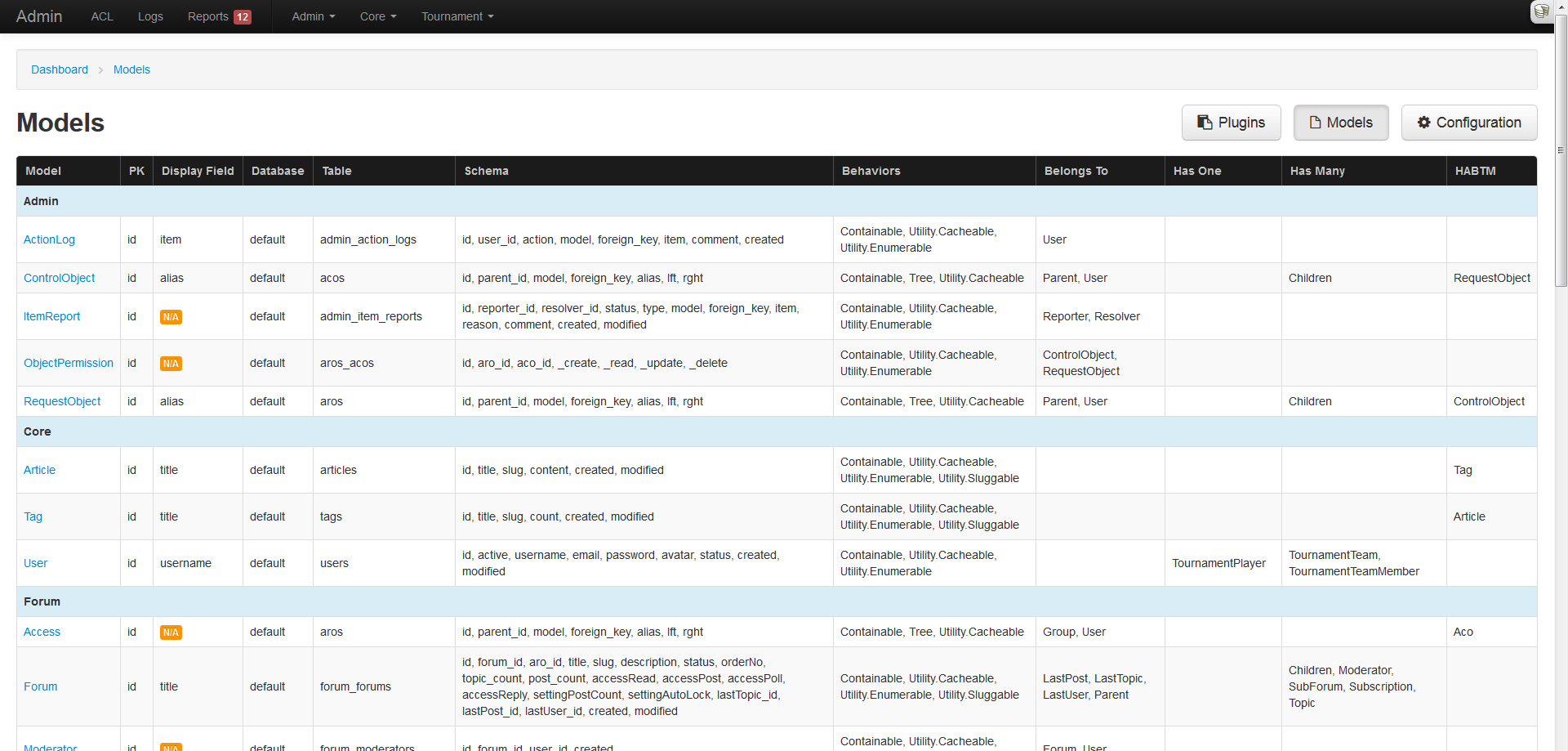
Models overview

While testing the admin against my applications, I noticed many models were missing display fields and associations. I figured an overview table of all model properties would be a great feature to include.

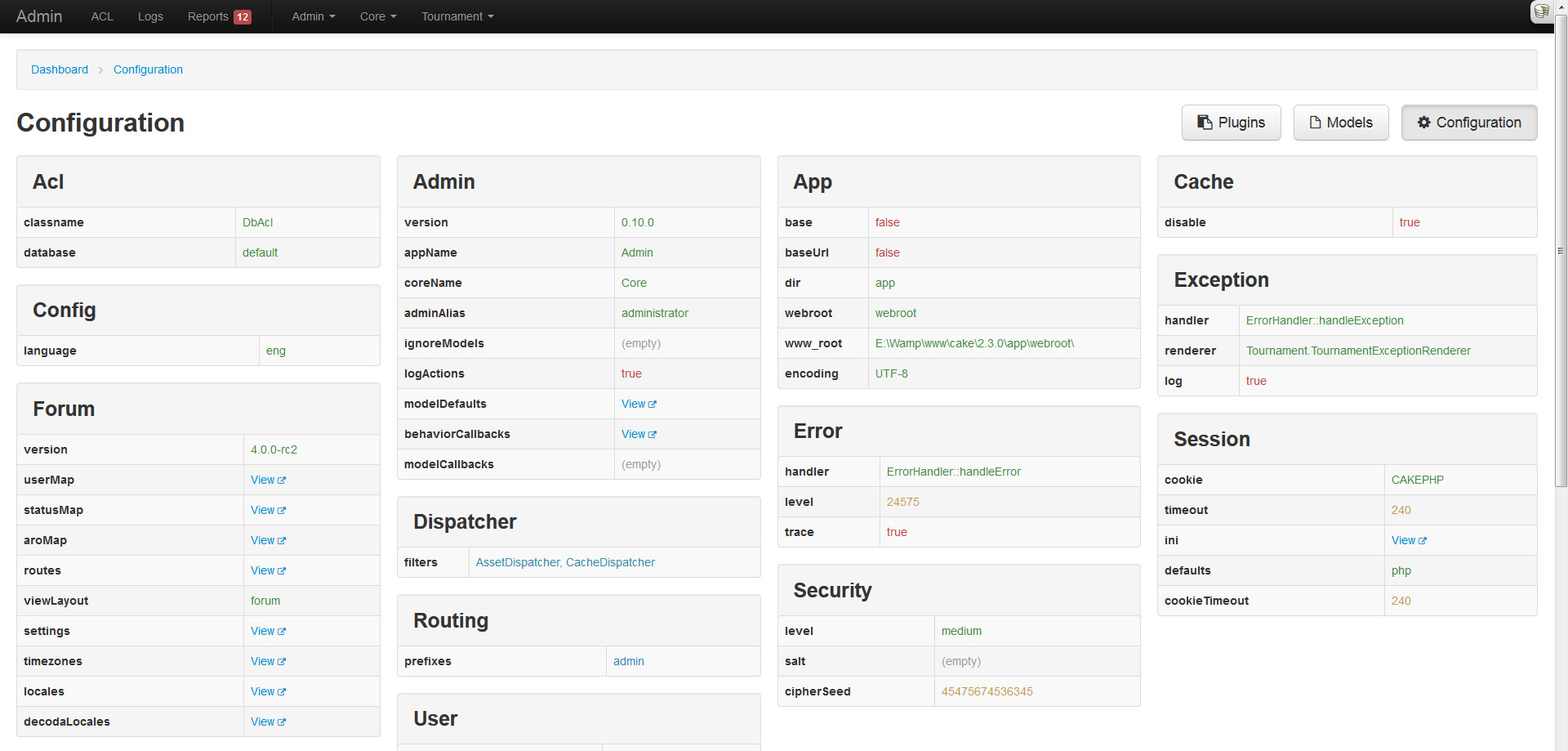
Configuration overview

Hot on the heels of the models overview, I decided to apply the same treatment to CakePHPs configuration. This page will display all the top-level configuration settings in neatly structured tables and columns.

Action logging and syslog overview

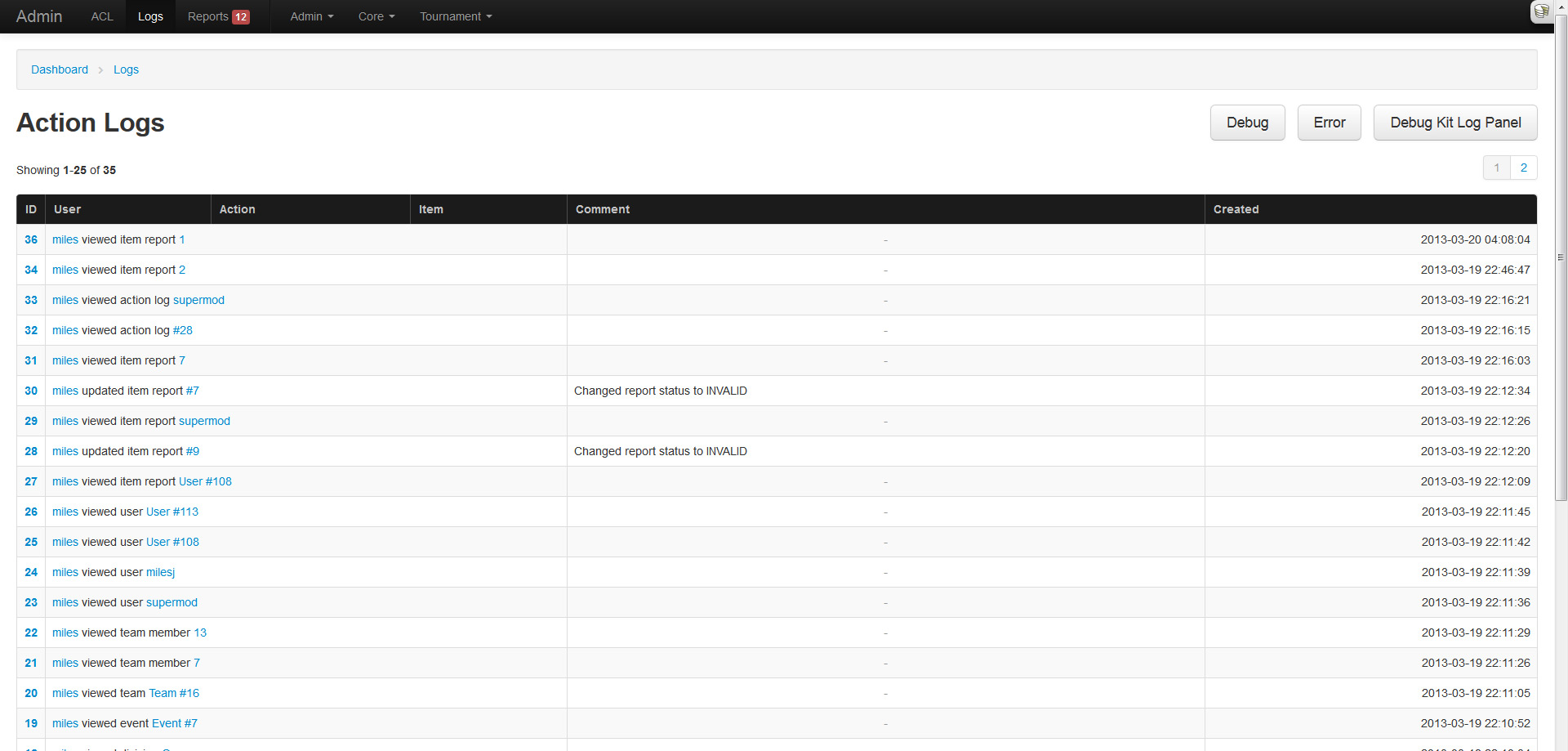
Any sane admin system would log an administrators actions, because you know, just in case they do something shady! The admin plugin comes enabled with a logging system that tracks all users actions. This feature can be enabled (default) or disabled through Configure. To manually log something, one can use the AdminToolbarComponent::logAction() method.

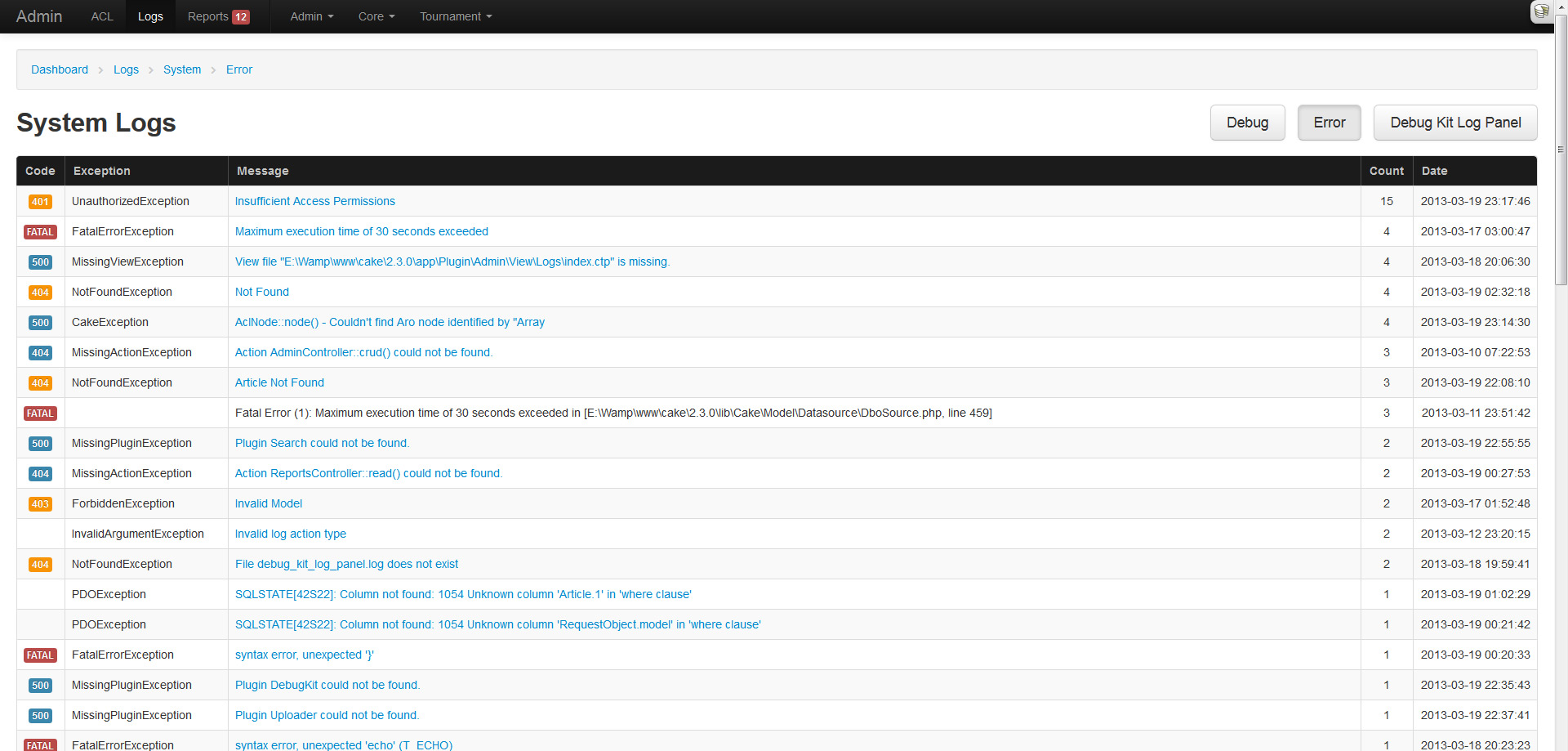
If you are like me, you get tired of SSHing into your server and checking the logs, or are too lazy to setup Splunk or Logstash. Because of this I added a simple log parsing feature that aggregates exceptions and displays them in a pretty table. Do note that this is basic parsing and shouldn't be heavily relied on, and will only parse logs under 2MB.

Reported content

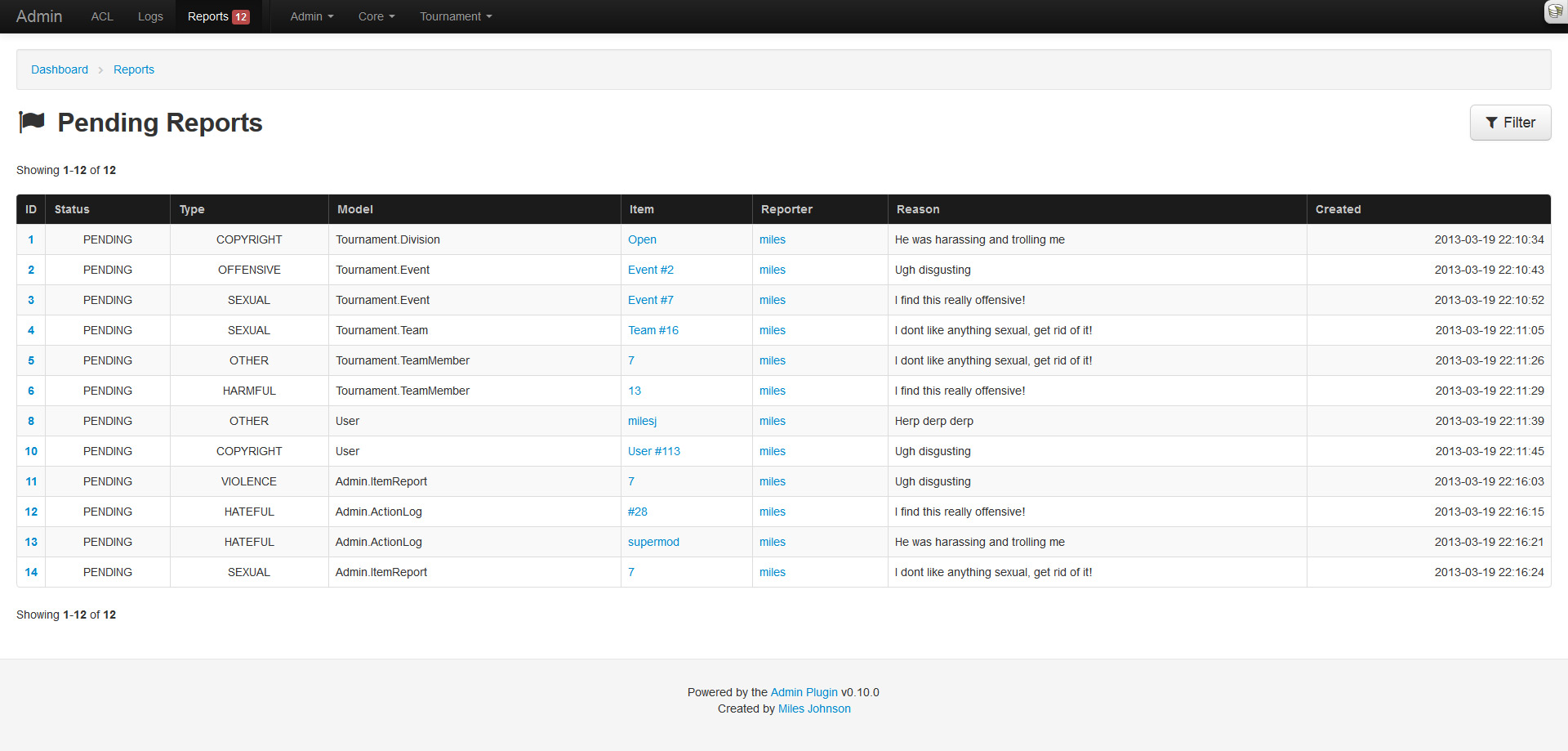
Another useful feature that many sites utilize is a content reporting/flagging system. My forum plugin utilizes one, my tournament plugin will, and my applications do. Each of them rolled their own system, so I thought it would be easier to roll this feature into the admin and have them all extend from it.

Every user can report content (a model record) and organize it under a specific type (sexual, offensive, etc). These pending reports will then appear in the reports section of the admin until they are resolved by an administrator. For ease of use, the AdminToolbarComponent::reportItem() method can be used within the application context.

Model and behavior callbacks

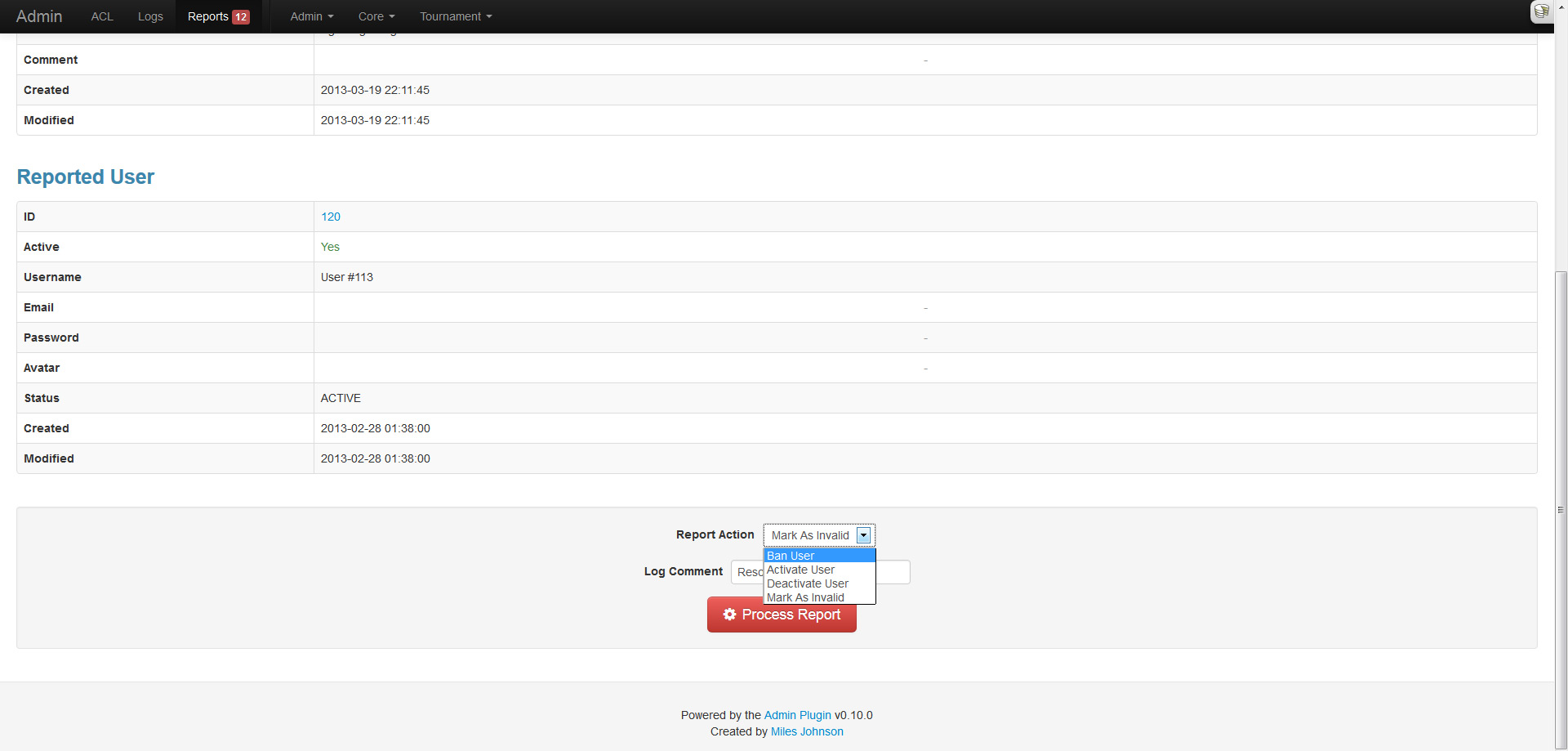
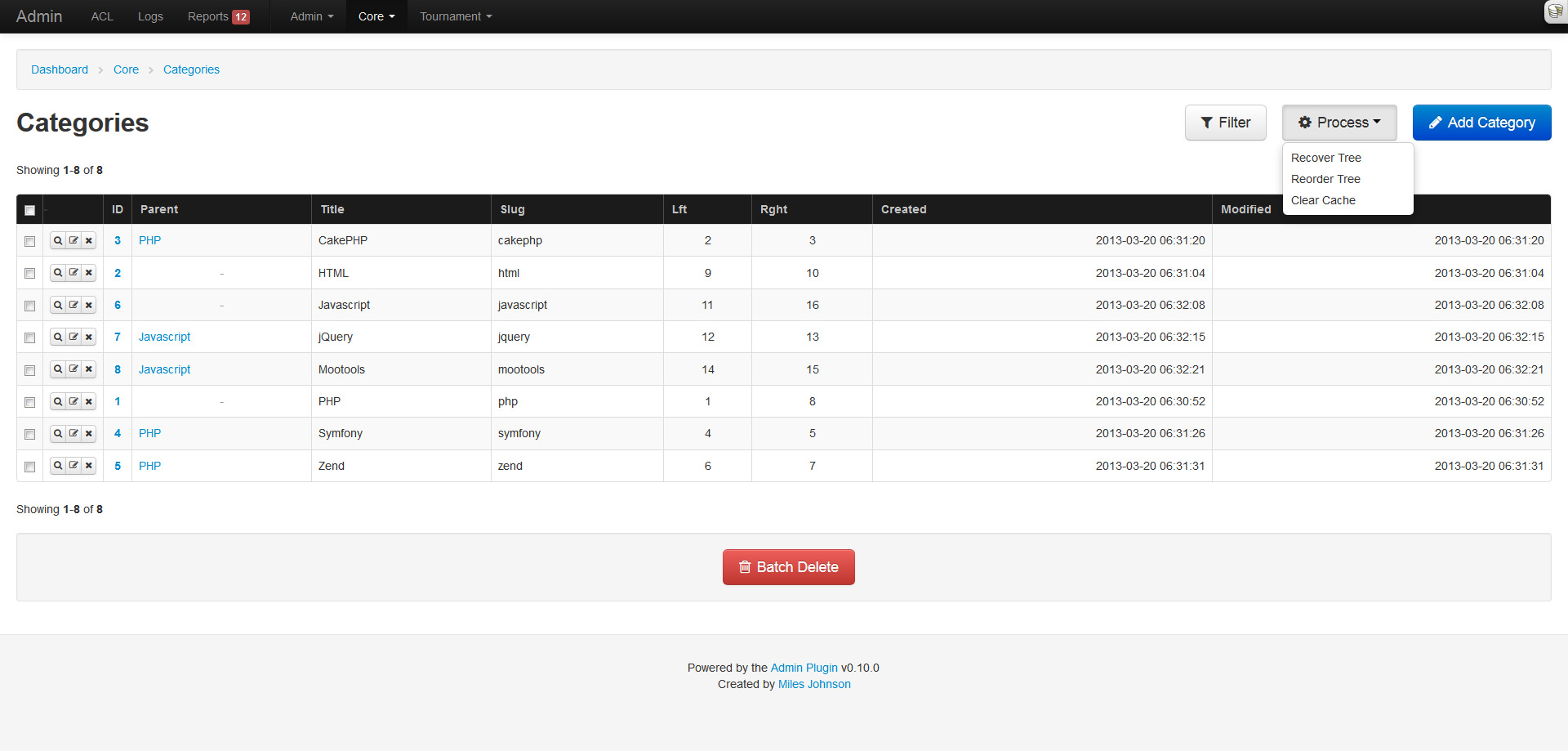
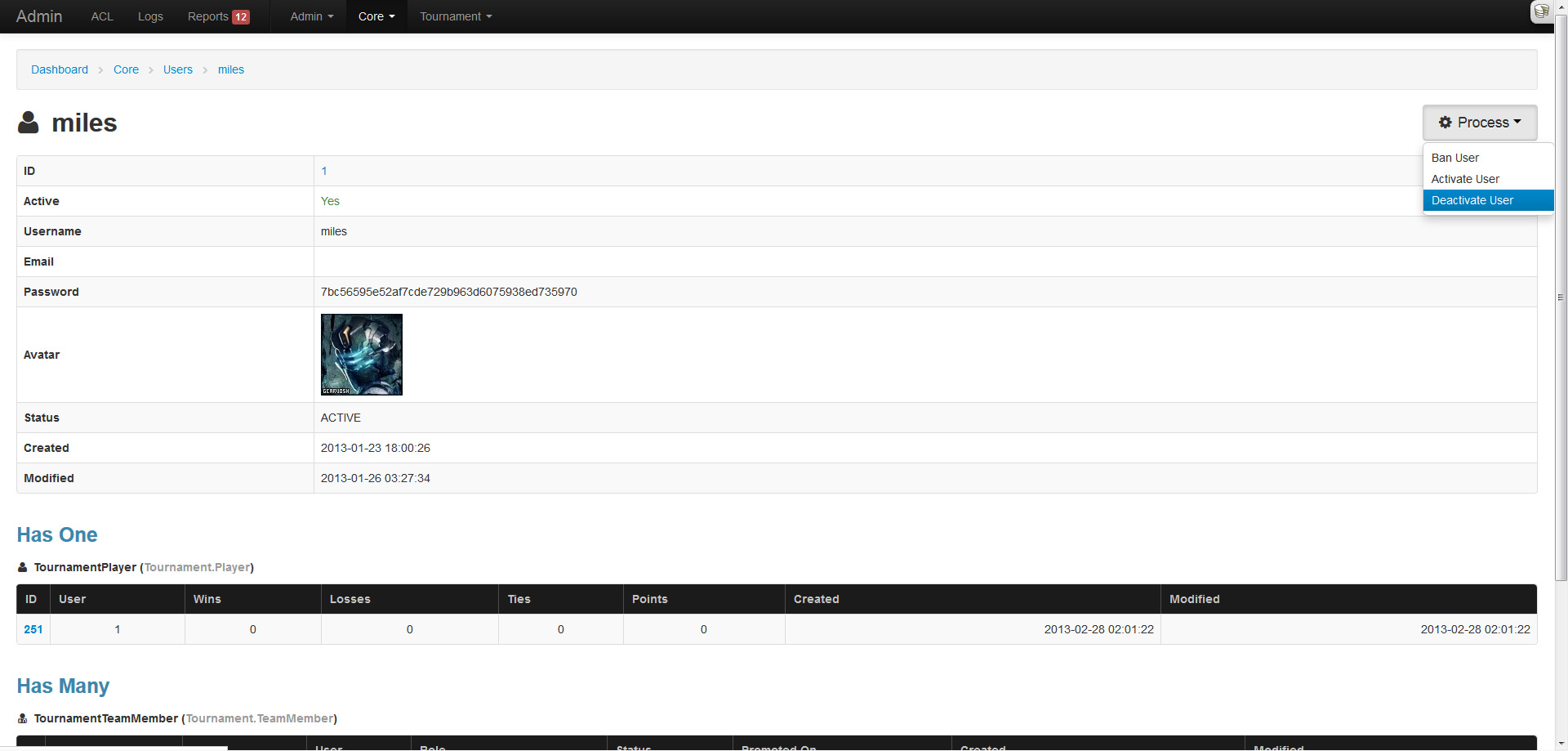
Another nifty feature is the ability to configure model and behavior callbacks that can be triggered from the index listing (behavior) or the read page (model). This allows behavior methods like TreeBehavior::reorder() and CacheableBehavior::clearCache() to be executed within the admin. As for models, it allows custom methods like User::ban($id) to also be executed from within the admin (and is also used in reports).

Filters

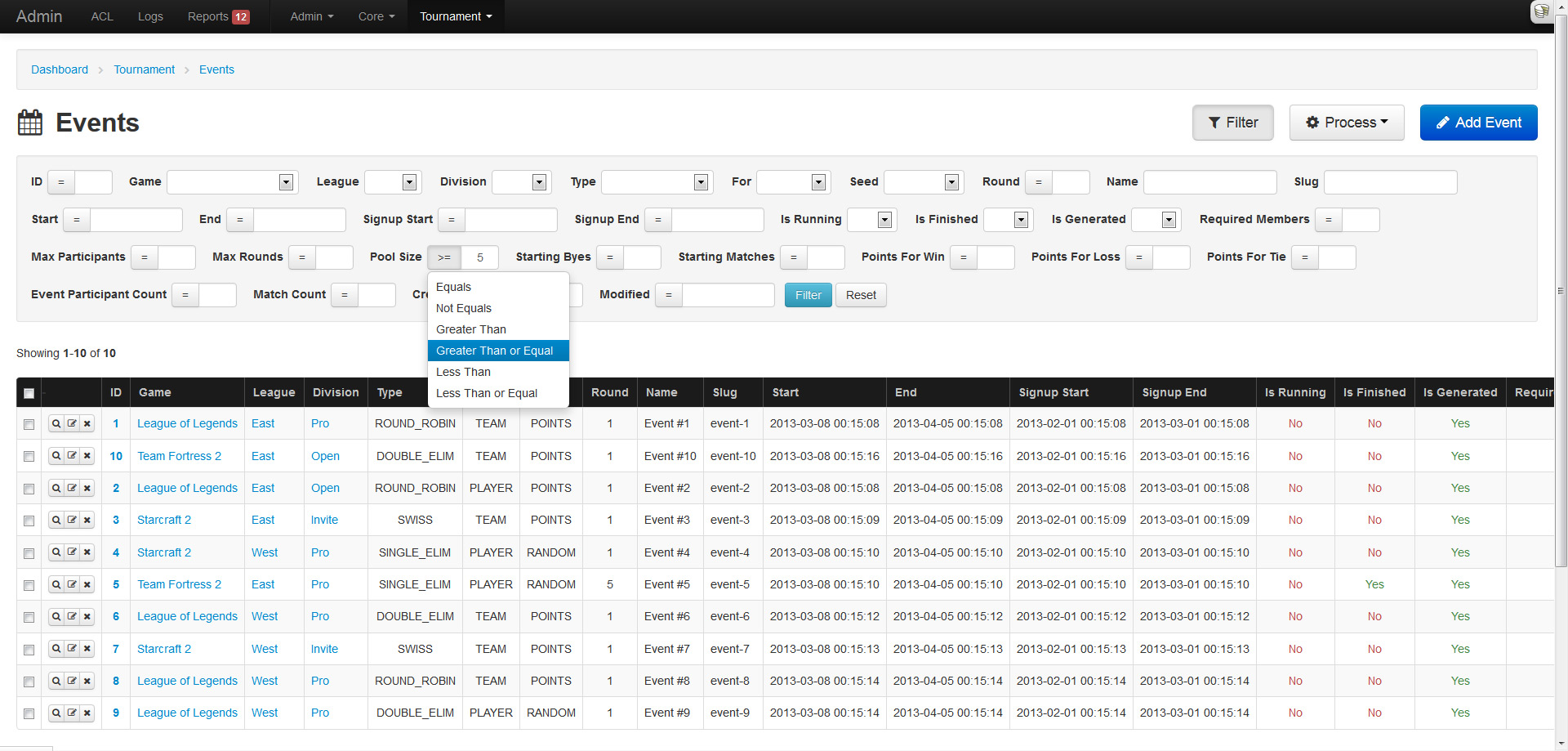
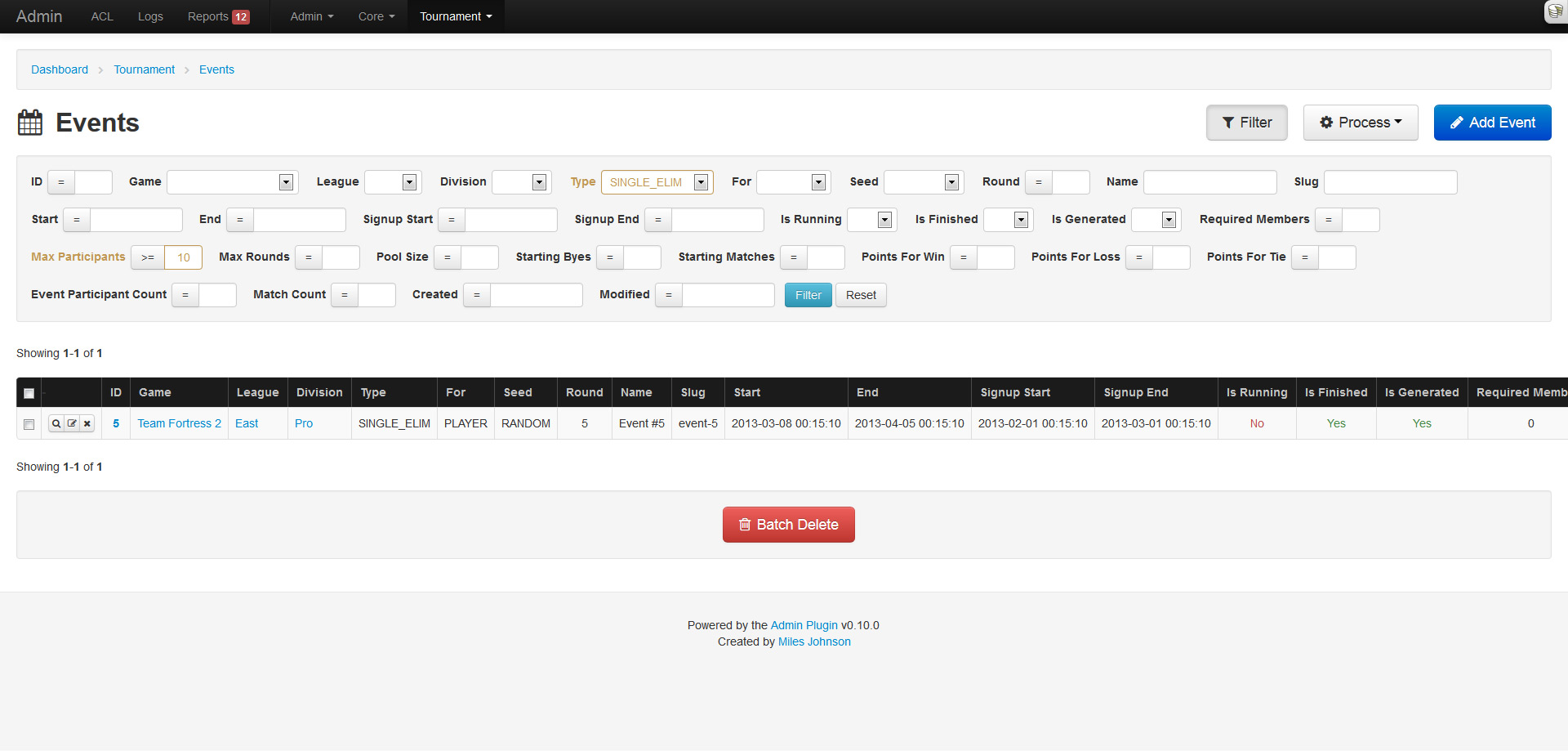
What kind of system would this be if you couldn't filter results? A crappy one! Good thing this plugin is amazing. The index page now supports filtering (via named params) and pagination in unison. The filter fields are determined from the models schema and work in a similar fashion to the create and update pages.

Integer and date fields provide a comparison dropdown that lets you choose the operator to use: less than, not equals, etc. Dates allow for any kind of input and will be strtotime() on the backend. Enumerables, booleans and belongs to relations will be represented as a dropdown. Strings will result in a LIKE %% query. Any active filter will be highlighted in yellow.

Well this is cool and all...

Don't forget all the custom model icons, and the localization support, and the table action buttons, and yeah, many more things. I have a long list of features to still add, so stick around!

Because everyone needs an admin

If you are like me, you hate building administration panels. They either take the same length of development, or more, compared to the actual application. On top of that, you end up re-building an admin interface for every application. So... much... effort... I'm just too lazy. Out of 3 personal applications that I have running live, none of them have an admin interface (Yay for raw MySQL!). I think it's about time I solve this problem by creating an all-purpose CRUD plugin that can be dropped into any application. I looked around at other plugins, but none of them offered what I wanted; even CakePHP scaffolding, BrowniePHP and Croogo fell short. I only had 3 hard requirements:

  • No manual installation (creating controllers, views, etc)
  • CRUD mapping for every model (including plugins)
  • ACL, authentication and authorization

So with no viable option, I went ahead and built this plugin over the past week, aptly named Admin. The plugin meets all the requirements I listed above and then some. Let me take you on a wonderful tour of its features and functionality. In my quick little demonstration, I will be using a test application that also uses the Forum and Tournament plugins that I wrote.

Everyone loves dashboards

To keep things simple, I tried not to clutter the layout. The design and layout implement Twitter Bootstrap, along with its responsive styles and jQuery components.

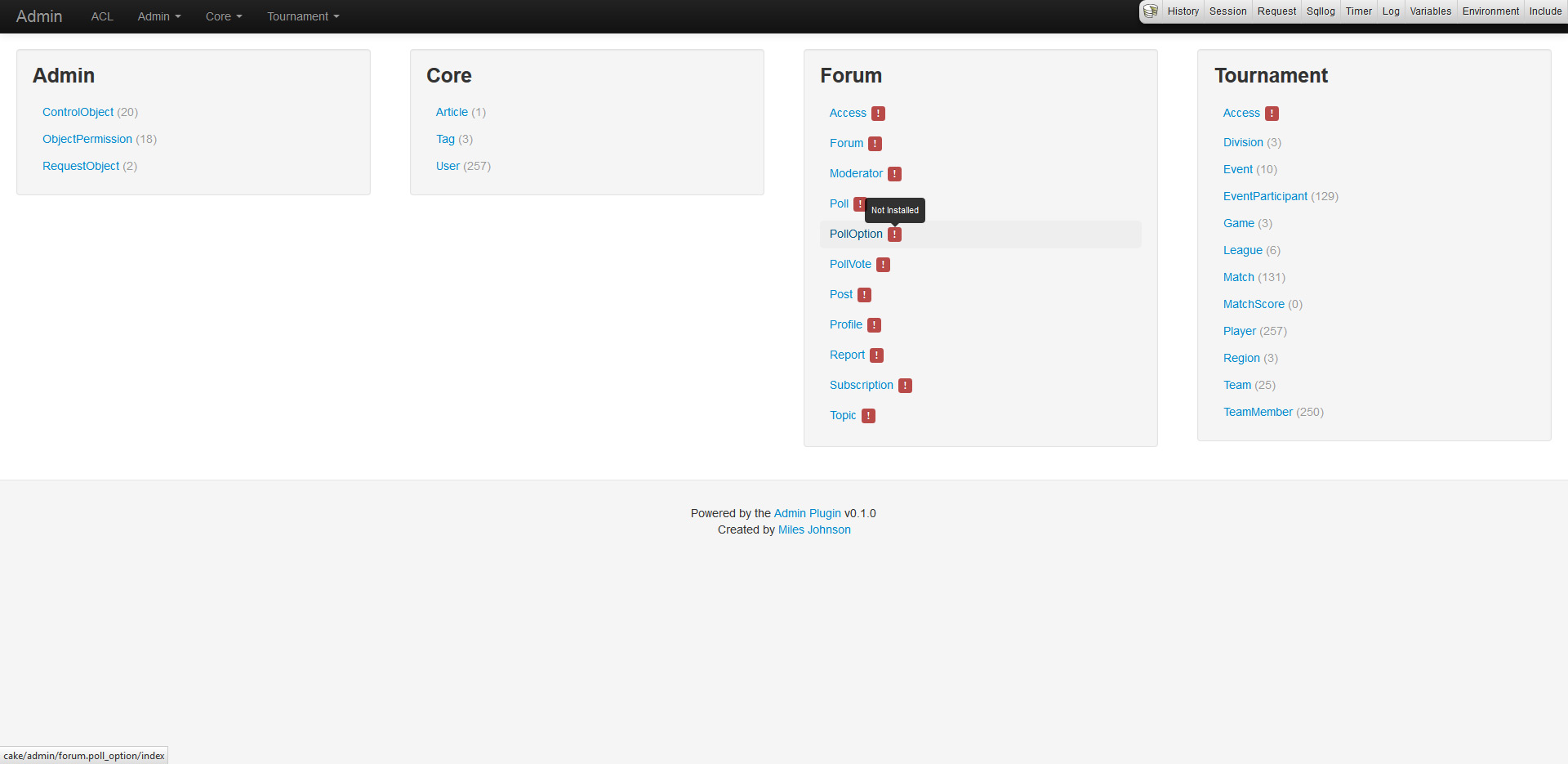
The admin dashboard and navigation simply list out all enabled plugins and their models. Models need to be installed from the shell before CRUD can be enabled. If a model is not installed, a red warning will appear and exceptions will be thrown when trying to navigate around.

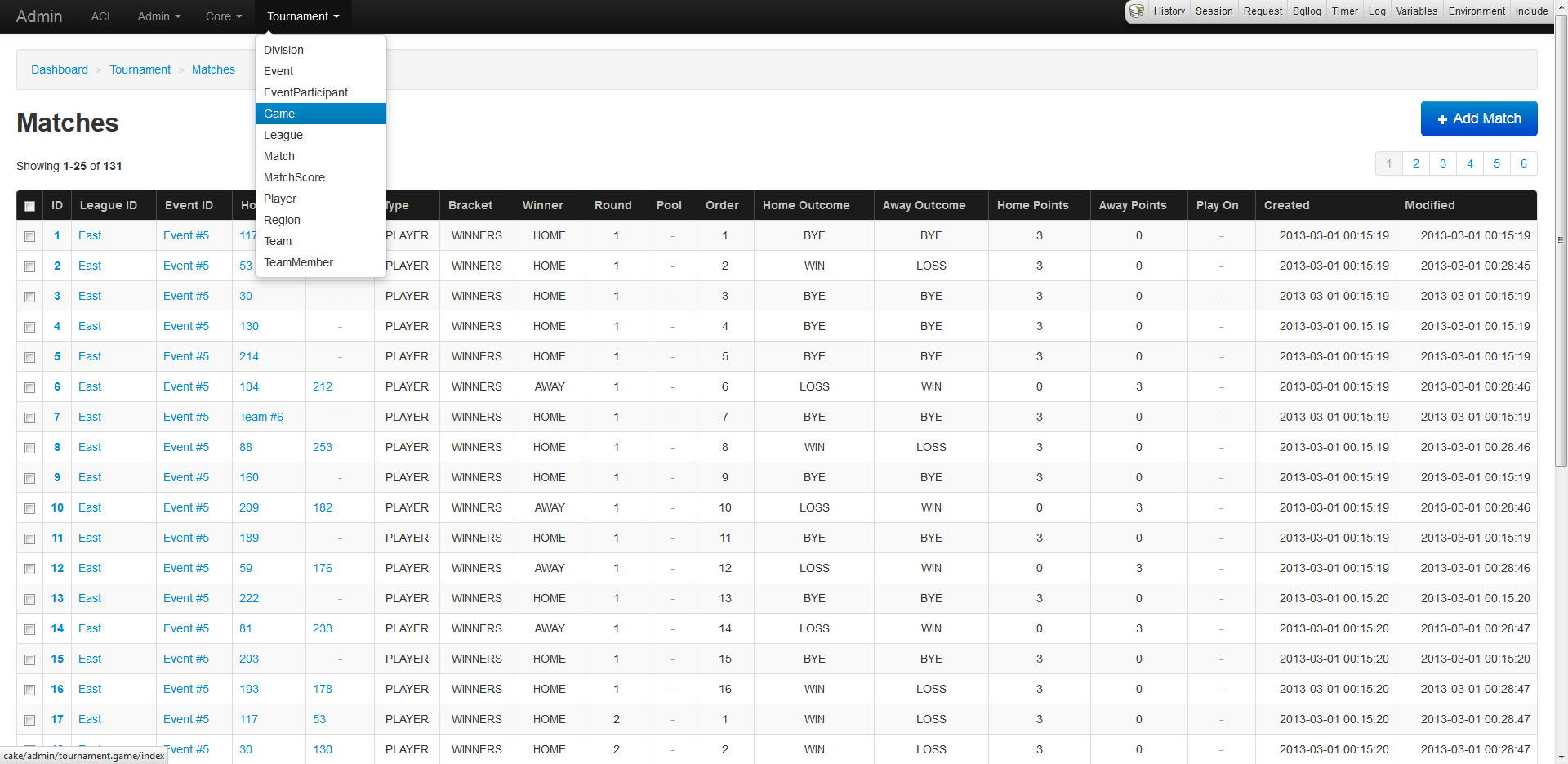
The index of every model will list out and paginate all records (duh). The records will also fetch and display belongsTo fields by utilizing the models display fields and primary keys. If your models inherit Utility.Enumerable, their values will seamlessly be replaced by their enumerable equivalent (the same applies to forms).

CRUD is the staple of any admin

Wouldn't you agree? That's why the plugin supports moderate CRUD functionality for all models, including plugins, right of the box (not really, but requires minor installation). No controllers are needed as every model is URL routed and mapped allowing quick development. The system relies heavily on a models property definitions (display field, primary keys, associations, database schema, etc) to generate and provide strict functionality. CRUD also makes use of ACL allowing users and groups specific access.

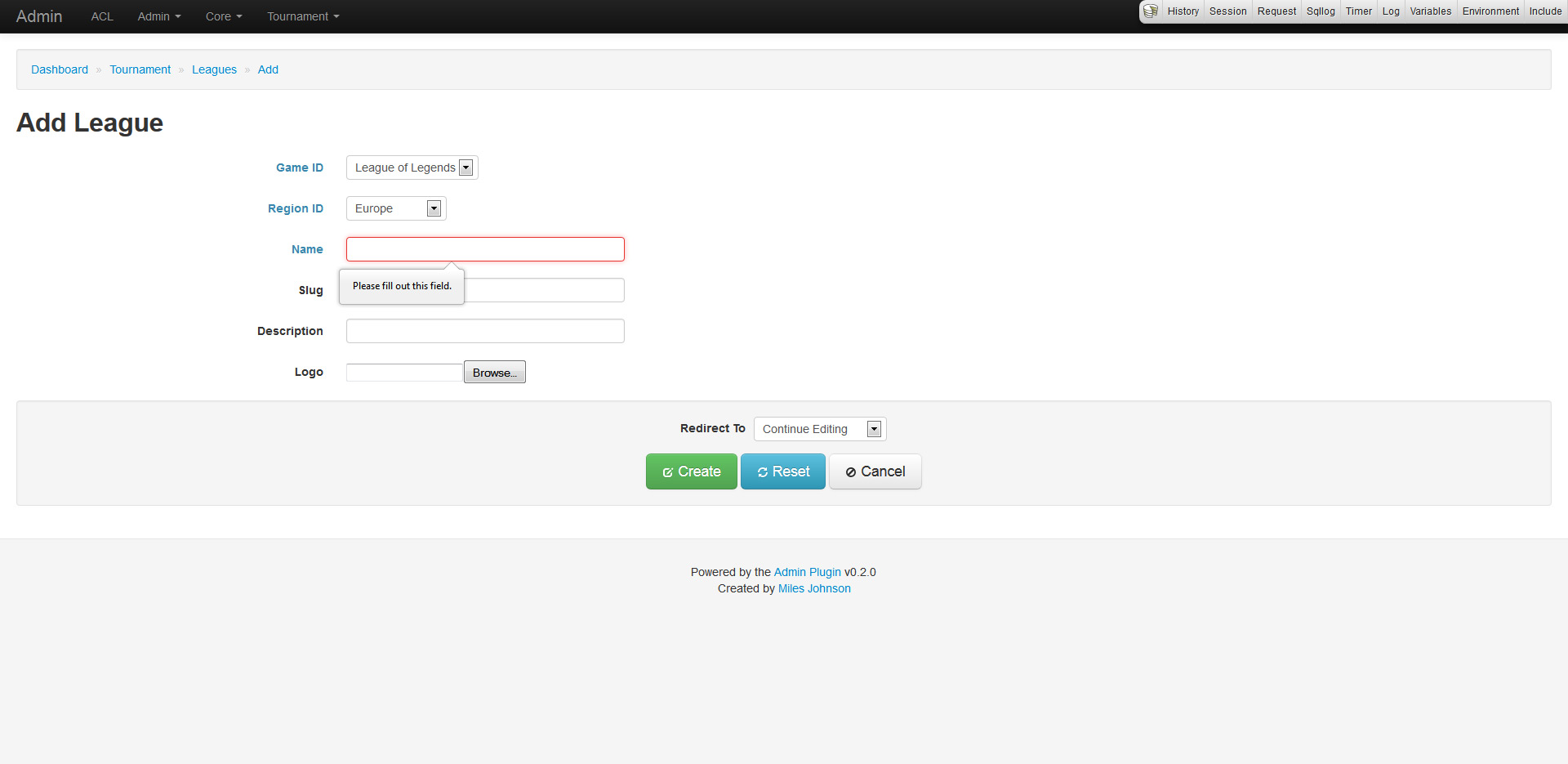
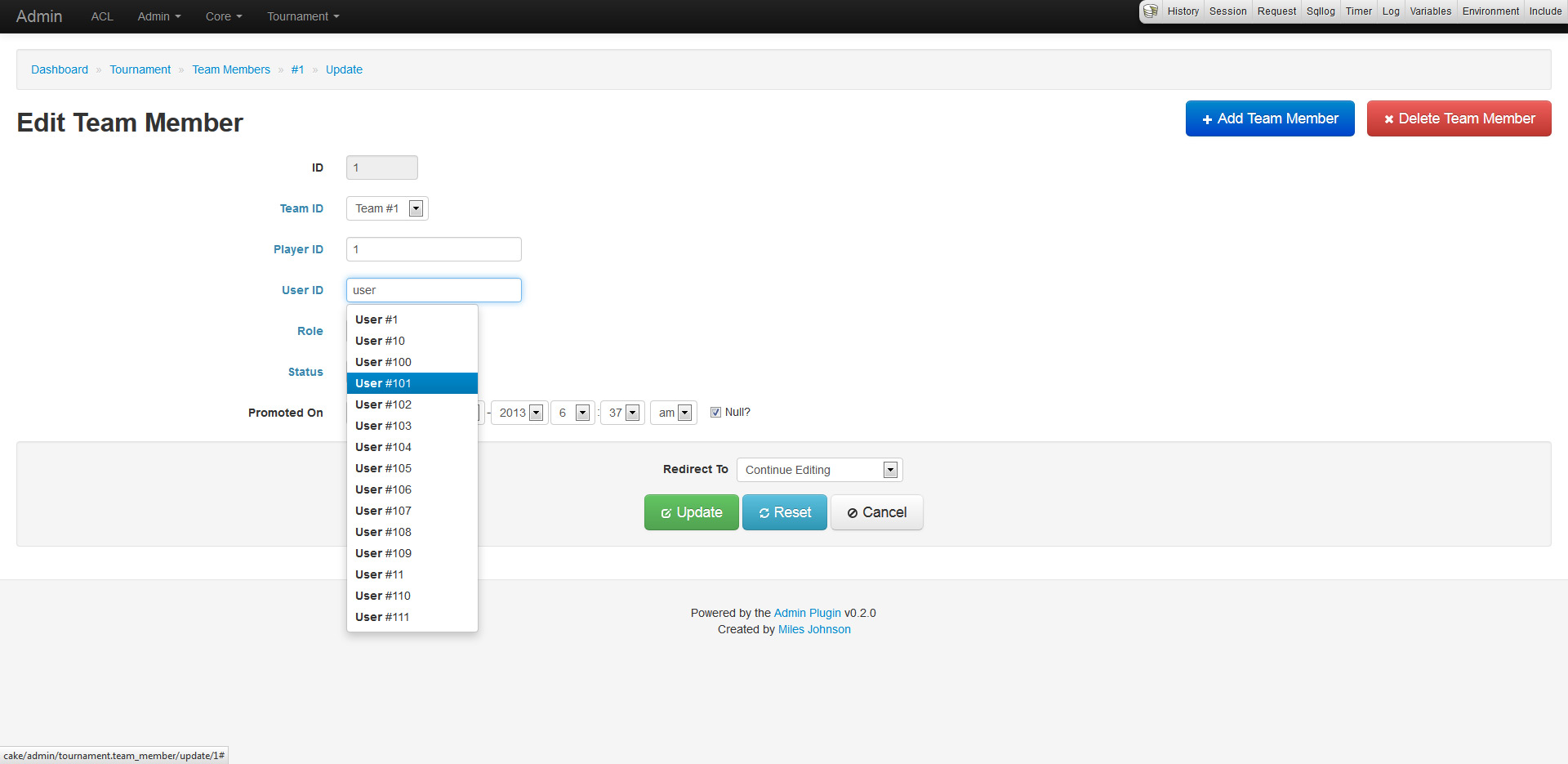
The create and update pages work in a similar fashion. Every form has functionality derived from the models validation rules, database schema and associations. This allows for input fields to set requirements, null checks and more. Any belongsTo field is represented as a drop down list or a type ahead field (depending on how many records exist in the database). Forms also provide minor support for hasAndBelongsToMany relations.

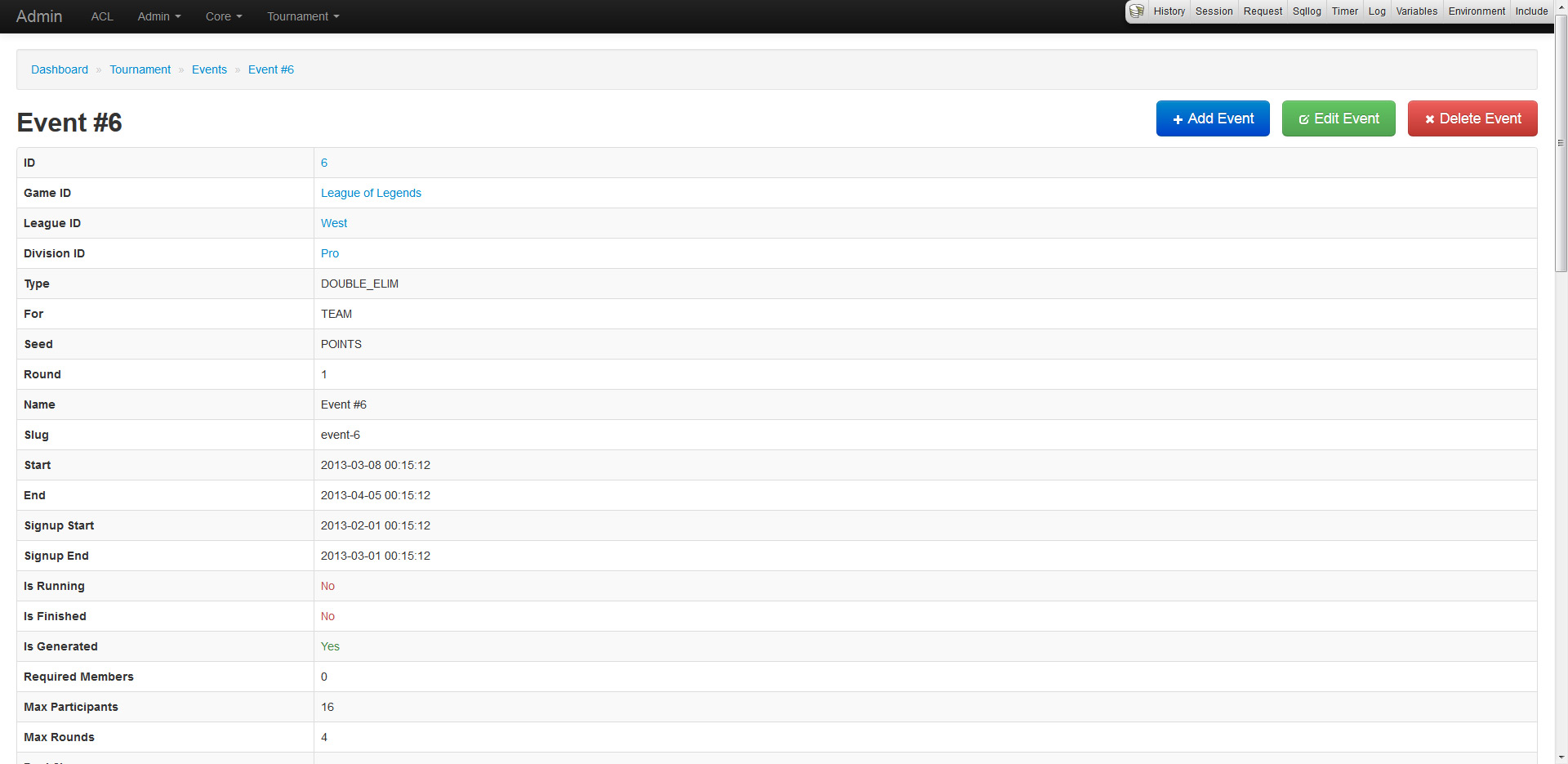
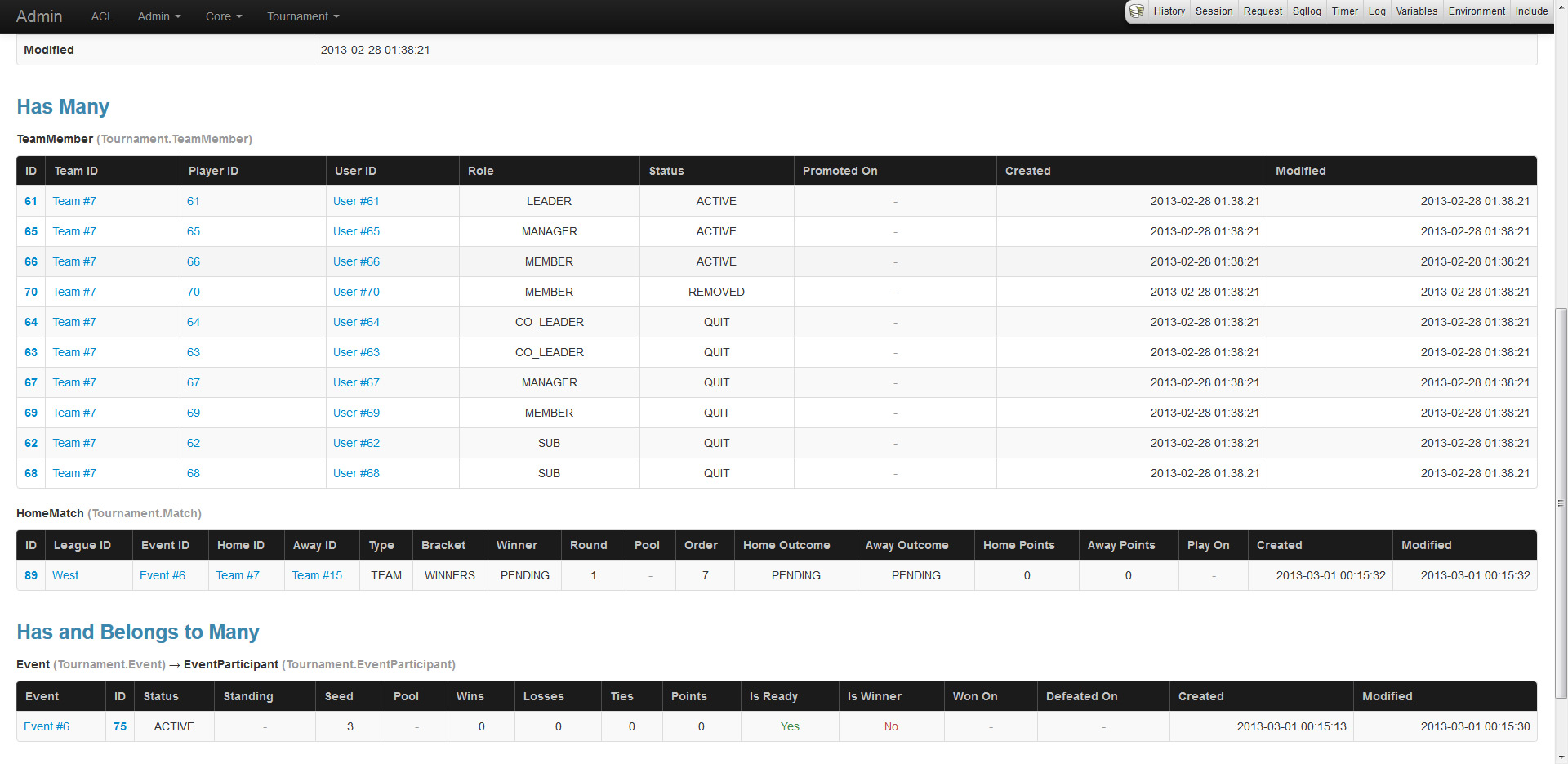
The read page provides an overview of a record including full associated data. Be careful as this page will pull in all data unless limits and conditions are placed.

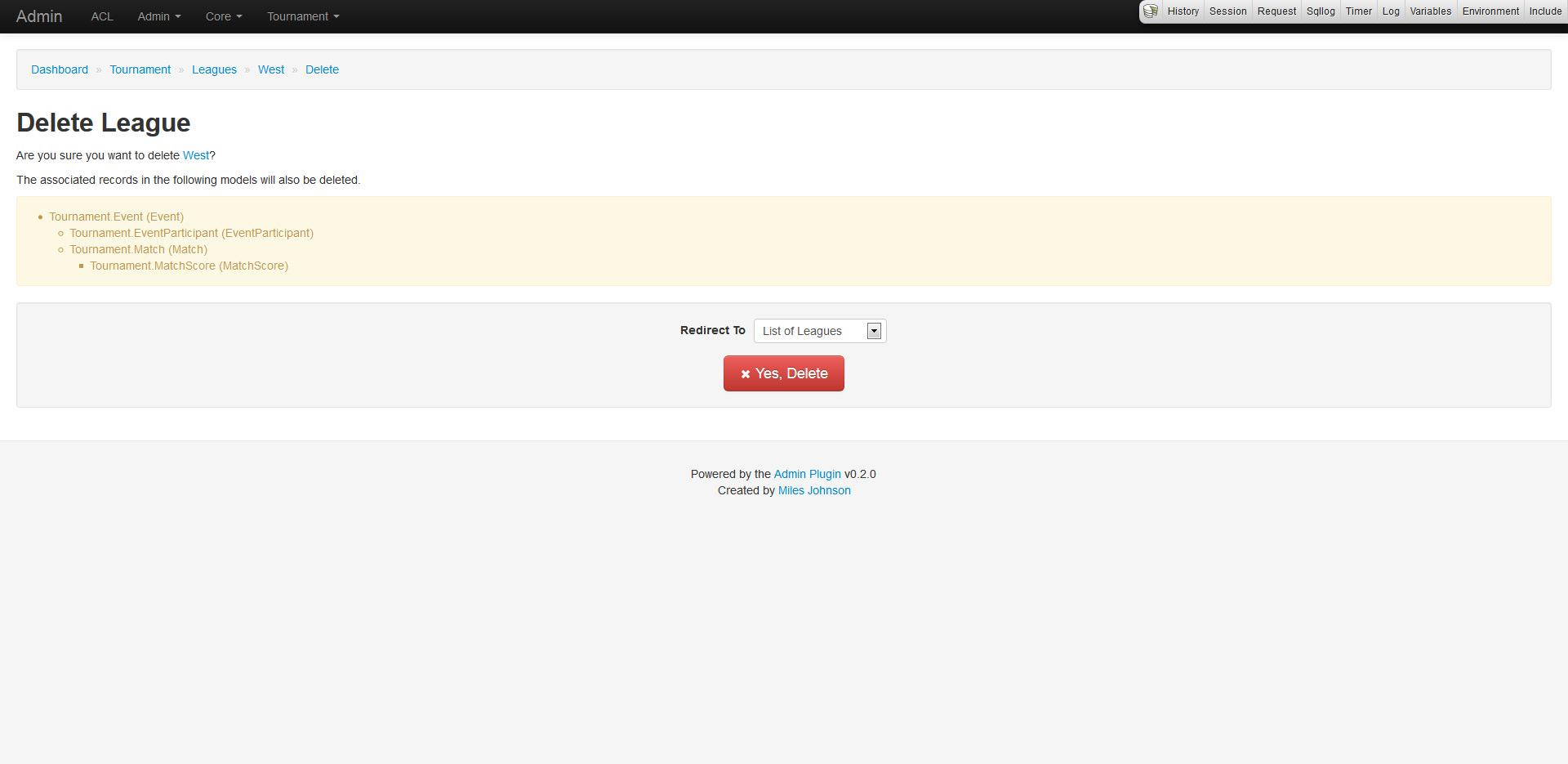
And finally the delete page, which provides a confirmation of deletion (because everyone hates accidental deletions). The confirmation also displays a nested list of dependent associated records that will also be deleted.

Access control lists, really?

No one ever uses the ACL system, why? Because it's complicated and hard to learn. I would always steer away from using CakePHP's ACL, but after diving into it, I must say that it is very powerful if used right (and here's to hoping I am). The ACL supports AROs (basically users, groups and roles), ACOs (objects to administer) and permissions (CRUD access). The plugin makes heavy use of defining ACOs for every model and setting up ARO permissions to enable or disable CRUD functionality.

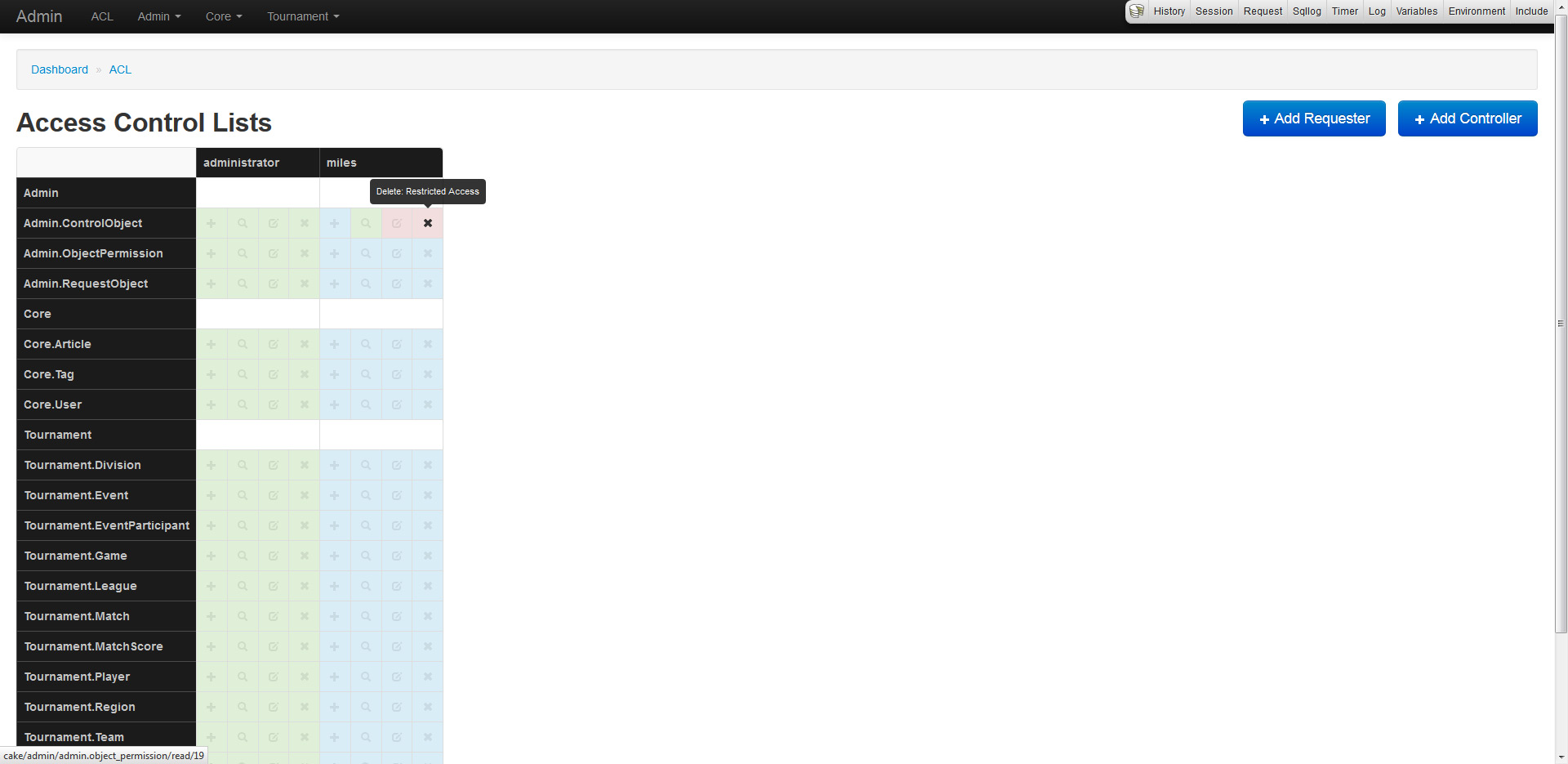
The plugin also generates an ACL matrix which displays an overview of CRUD permissions for AROs (vertical columns) and ACOs (horizontal columns). Each of the 4 boxes represent an action: create, read, update and delete. Each color represents permission: green has access, red does not, while blue inherits from parent.

To integrate ACL into the admin plugin, custom models were created. They are RequestObject (extends Aro), ControlObject (extends Aco) and ObjectPermission (extends Permission).

This looks outstanding, what else is down the pipeline?

Since this is a very early alpha preview, much more will come of this plugin. Since the features are too awesome to describe, I will just list a few.

  • Custom icons for each model/plugin
  • Overrides for controller and view CRUD
  • Filtering and searching
  • Improved support for behaviors like Tree
  • Logging of administrator actions

I would really love some feedback and suggestions on this. Do note that since this is in alpha, the plugin is not production ready, and as such should be installed using a dev minimum-stability in Composer.
Changelogs: Forum v3.3.0

A new version of Forum has been released, version 3.3.0. Please download the new tag or view the documentation. If you have any questions, be sure to send me an email or comment on this post. If you run into any problems, be sure to report an issue on the Github repository.

Version: 3.3.0
Tested On: PHP 5.4.3, CakePHP 2.3.0, Composer
Requires: PHP 5.3, CakePHP 2, Composer
Commit Hash: 3fbe1526b2be48402c15ee67541306252d0fc992
Changes:

  • Requires PHP 5.3 and Composer
  • Upgraded Utility plugin to 1.3.x
  • Upgraded Decoda to 5.x
  • Added FORUM_DATABASE and FORUM_PREFIX constants
  • Added avatar mapping support in Forum.userMap.avatar
  • Added support for layout overrides through Forum.viewLayout
  • Updated shells, models and controllers to use the new FORUM_* constants
  • Updated to HTML5 doctype
  • Fixed localization not changing
  • Fixed search not working for guests
  • Replaced jQuery with Mootools
  • Replaced Markitup with Decoda
  • Replaced database settings with Forum.settings and Configure
  • Renamed CommonHelper to ForumHelper
  • Renamed settings to be camelCase
  • Moved around search and login forms
  • Lots of polish and fixes

Repository Cleanup

I'm currently in the mood to cleanup all my Github repositories, and with this will come some changes. I am posting this to give a warning to anyone who is cloning my repositories either directly or via submodule, as some of the repository names (and URLs) will change. This overhaul is meant to free up some of my time as I plan to veer away from starting any new projects (unless it's part of a client request) and merely want to support my current projects with bug fixes and new features, if any. With this change, the following changes are happening:

The following projects will have their names changed:

  • php-decoda --> Decoda
  • php-transit --> Transit
  • php-packager --> Packager
  • cakephp-utility --> Utility
  • cakephp-forum --> Forum
  • cakephp-uploader --> Uploader
  • moo-decoda --> Decoda.js

The following projects will be deprecated and no longer receive any kind of support:

  • cake-decoda
  • cake-ajax_handler
  • cake-auto_login
  • cake-cache_kill
  • cake-feeds
  • cake-spam_blocker
  • cake-redirect_route
  • cake-we_game
  • php-type_converter
  • php-statsburner

Most of the deprecated projects were moved to the Utility plugin or the Titon project and will continue to receive support there. The stand alone projects are merely deprecated.

The following projects will no longer be supported excluding critical bugs:

  • php-compression
  • php-resession
  • php-numword
  • php-gears
  • php-formation
  • php-databasic

Thanks for all your continuing support and sorry if these minor changes cause any hiccups. Please be patient and give Github and Composer some time to propagate the changes.