Because everyone needs an admin
If you are like me, you hate building administration panels. They either take the same length of development, or more, compared to the actual application. On top of that, you end up re-building an admin interface for every application. So... much... effort... I'm just too lazy. Out of 3 personal applications that I have running live, none of them have an admin interface (Yay for raw MySQL!). I think it's about time I solve this problem by creating an all-purpose CRUD plugin that can be dropped into any application. I looked around at other plugins, but none of them offered what I wanted; even CakePHP scaffolding, BrowniePHP and Croogo fell short. I only had 3 hard requirements:
- No manual installation (creating controllers, views, etc)
- CRUD mapping for every model (including plugins)
- ACL, authentication and authorization
So with no viable option, I went ahead and built this plugin over the past week, aptly named Admin. The plugin meets all the requirements I listed above and then some. Let me take you on a wonderful tour of its features and functionality. In my quick little demonstration, I will be using a test application that also uses the Forum and Tournament plugins that I wrote.
Everyone loves dashboards
To keep things simple, I tried not to clutter the layout. The design and layout implement Twitter Bootstrap, along with its responsive styles and jQuery components.
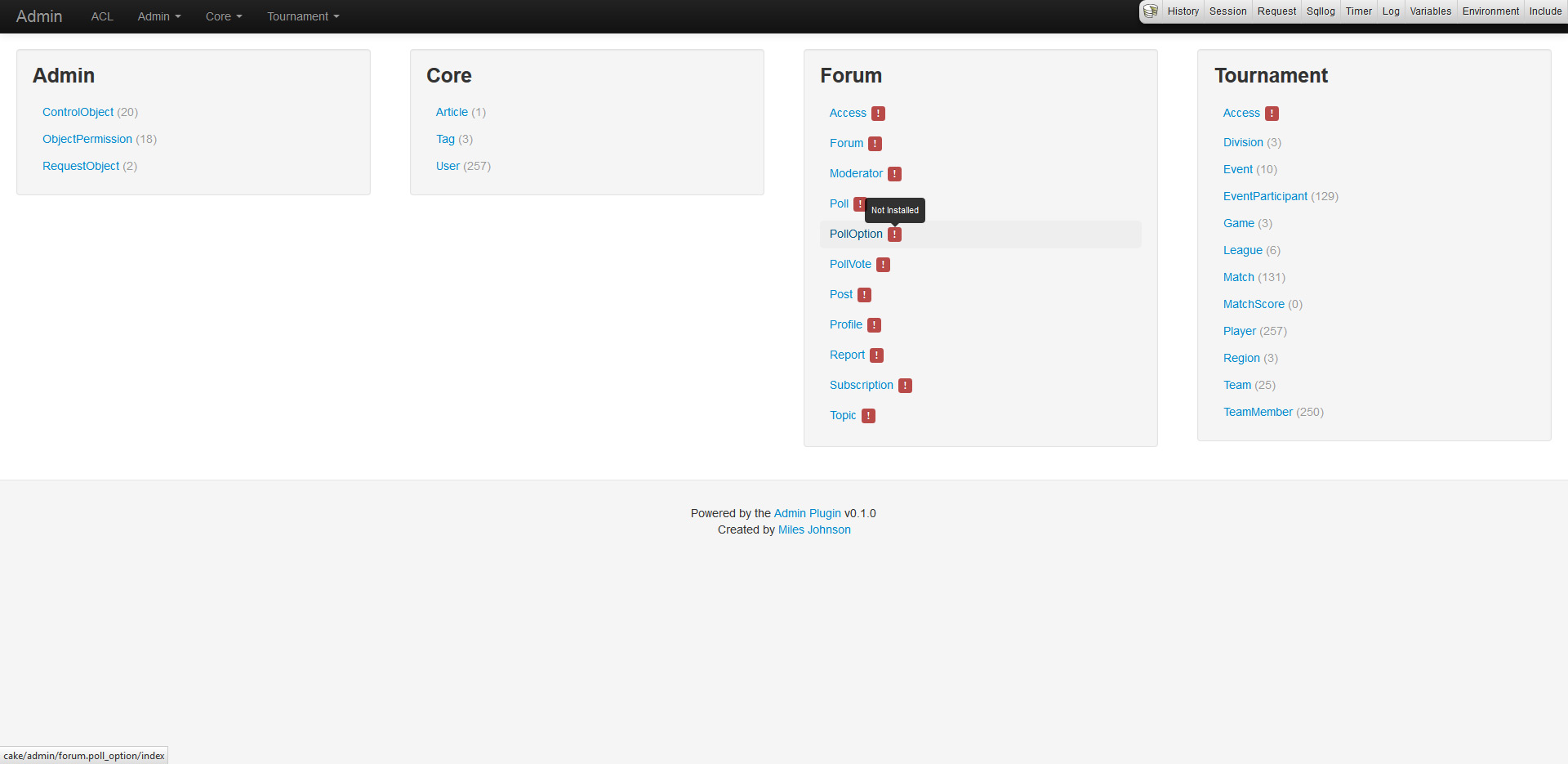
The admin dashboard and navigation simply list out all enabled plugins and their models. Models need to be installed from the shell before CRUD can be enabled. If a model is not installed, a red warning will appear and exceptions will be thrown when trying to navigate around.
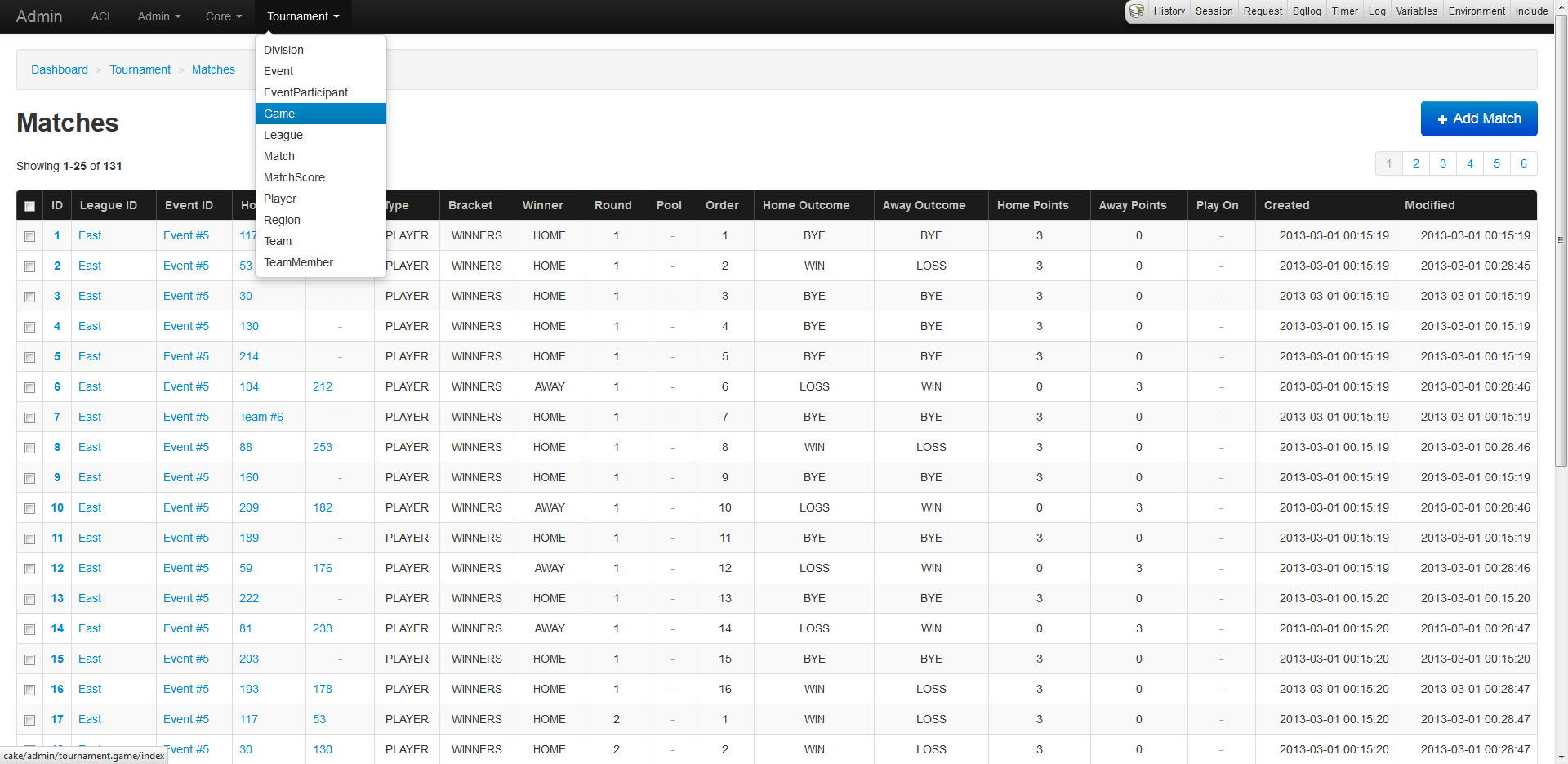
The index of every model will list out and paginate all records (duh). The records will also fetch and display belongsTo fields by utilizing the models display fields and primary keys. If your models inherit Utility.Enumerable, their values will seamlessly be replaced by their enumerable equivalent (the same applies to forms).
CRUD is the staple of any admin
Wouldn't you agree? That's why the plugin supports moderate CRUD functionality for all models, including plugins, right of the box (not really, but requires minor installation). No controllers are needed as every model is URL routed and mapped allowing quick development. The system relies heavily on a models property definitions (display field, primary keys, associations, database schema, etc) to generate and provide strict functionality. CRUD also makes use of ACL allowing users and groups specific access.
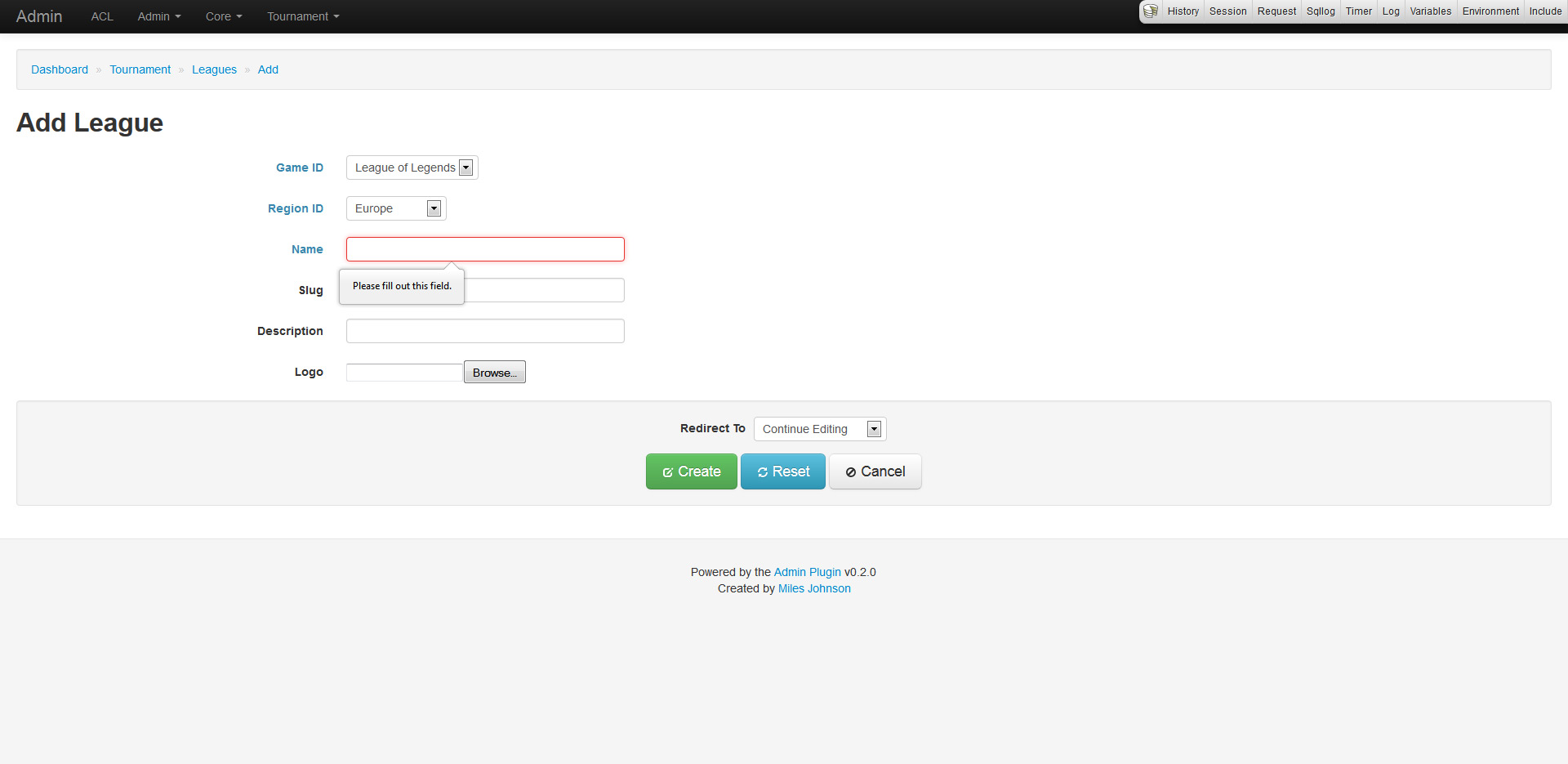
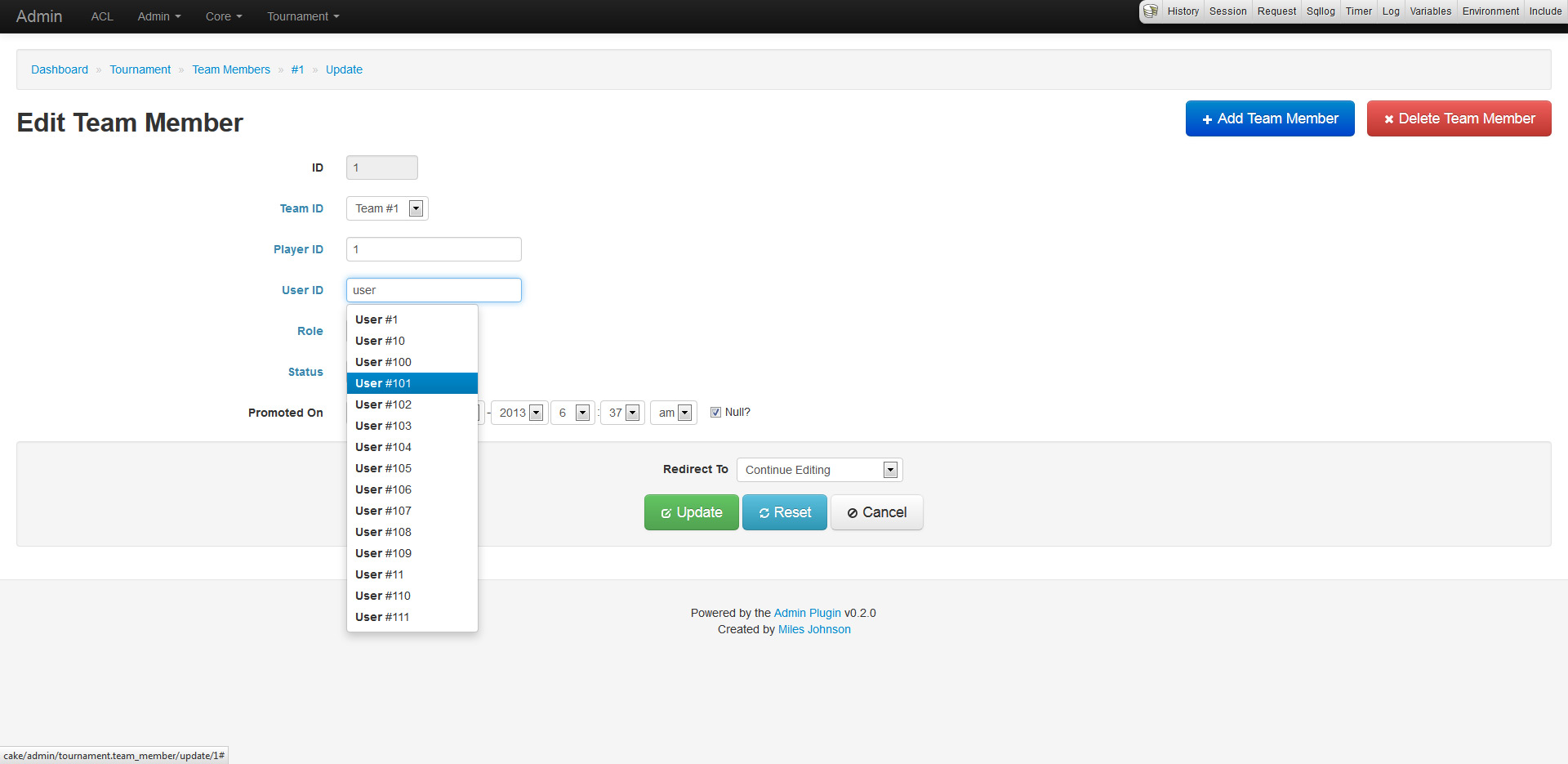
The create and update pages work in a similar fashion. Every form has functionality derived from the models validation rules, database schema and associations. This allows for input fields to set requirements, null checks and more. Any belongsTo field is represented as a drop down list or a type ahead field (depending on how many records exist in the database). Forms also provide minor support for hasAndBelongsToMany relations.
The read page provides an overview of a record including full associated data. Be careful as this page will pull in all data unless limits and conditions are placed.
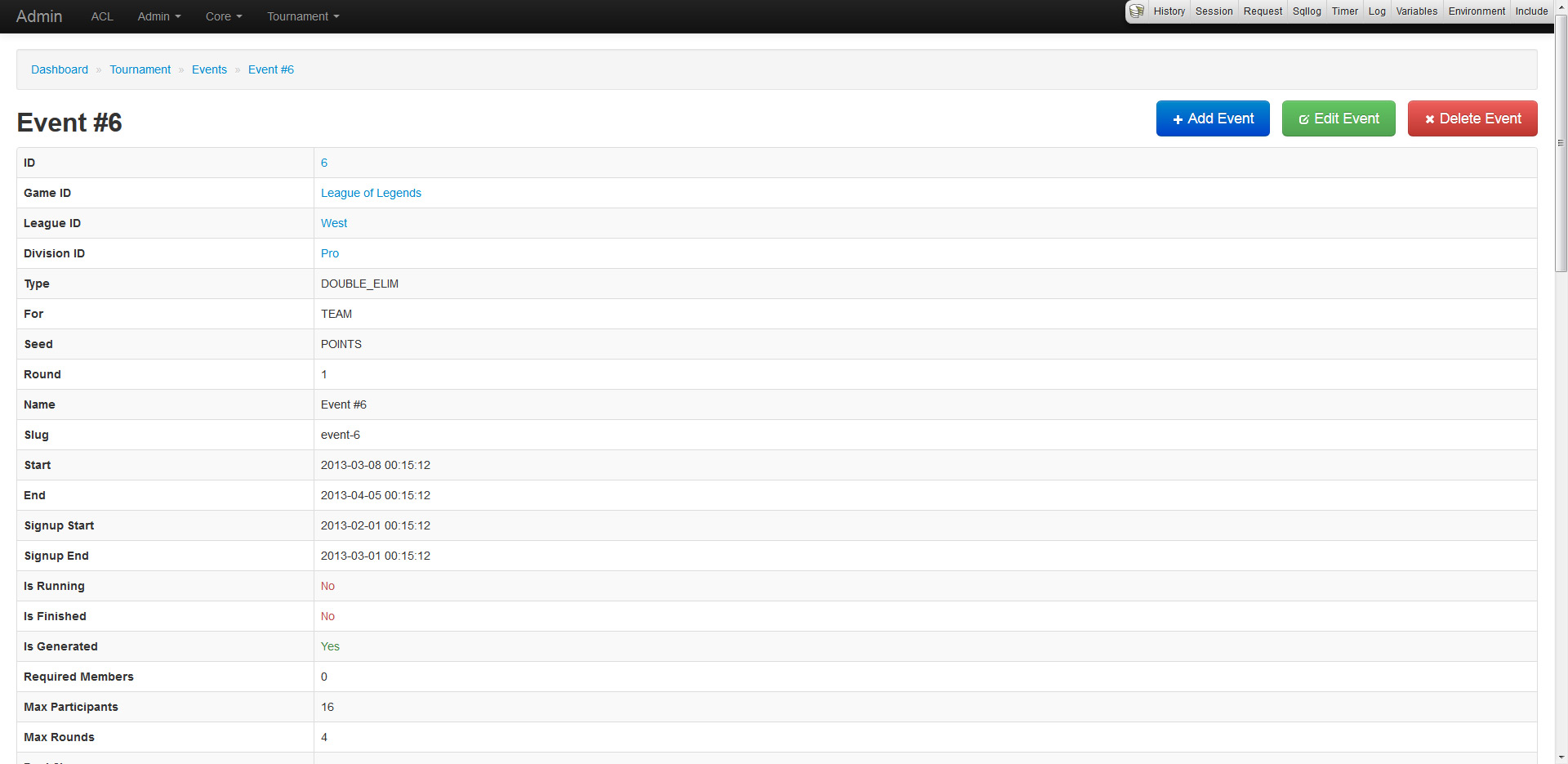
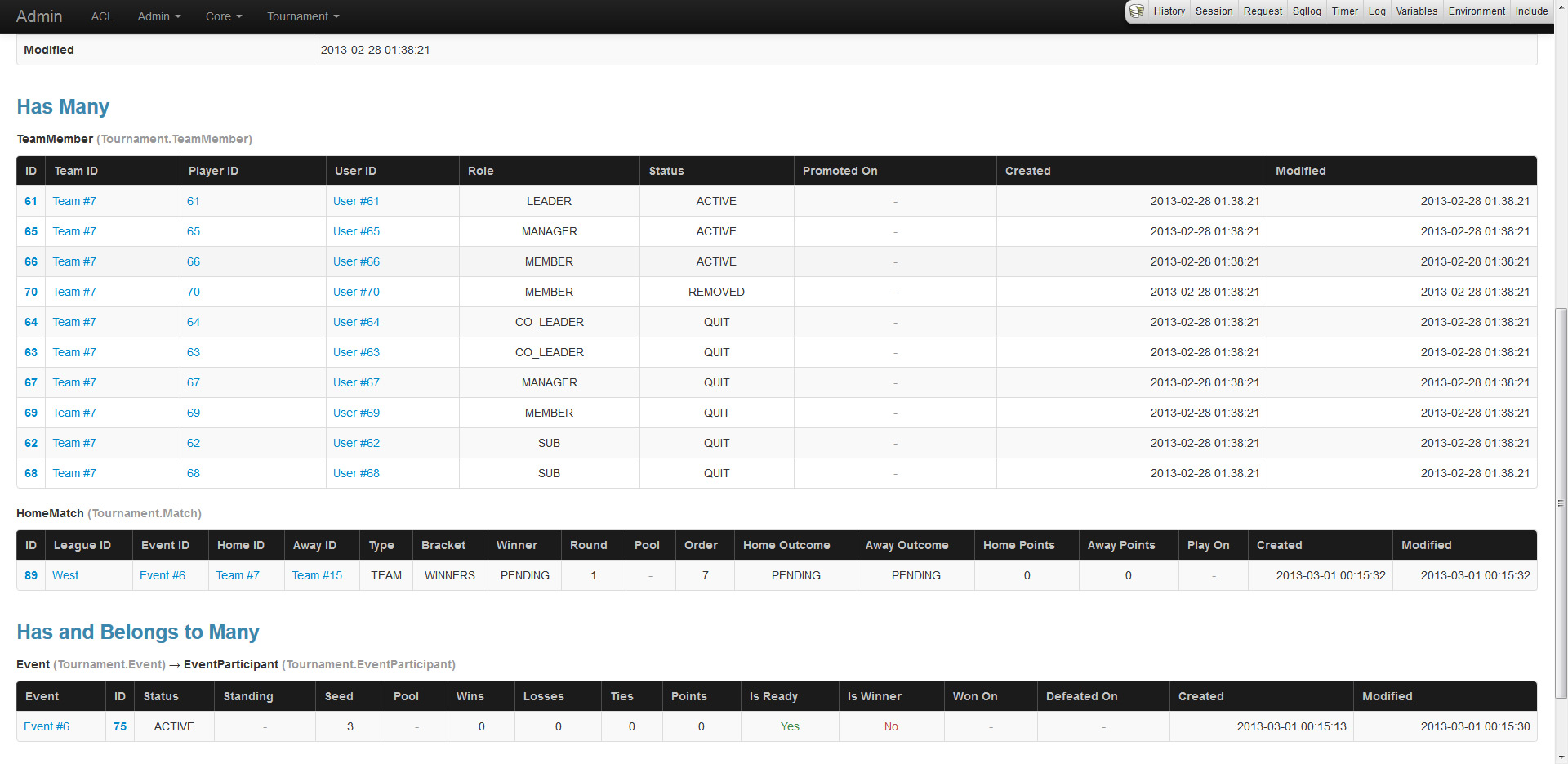
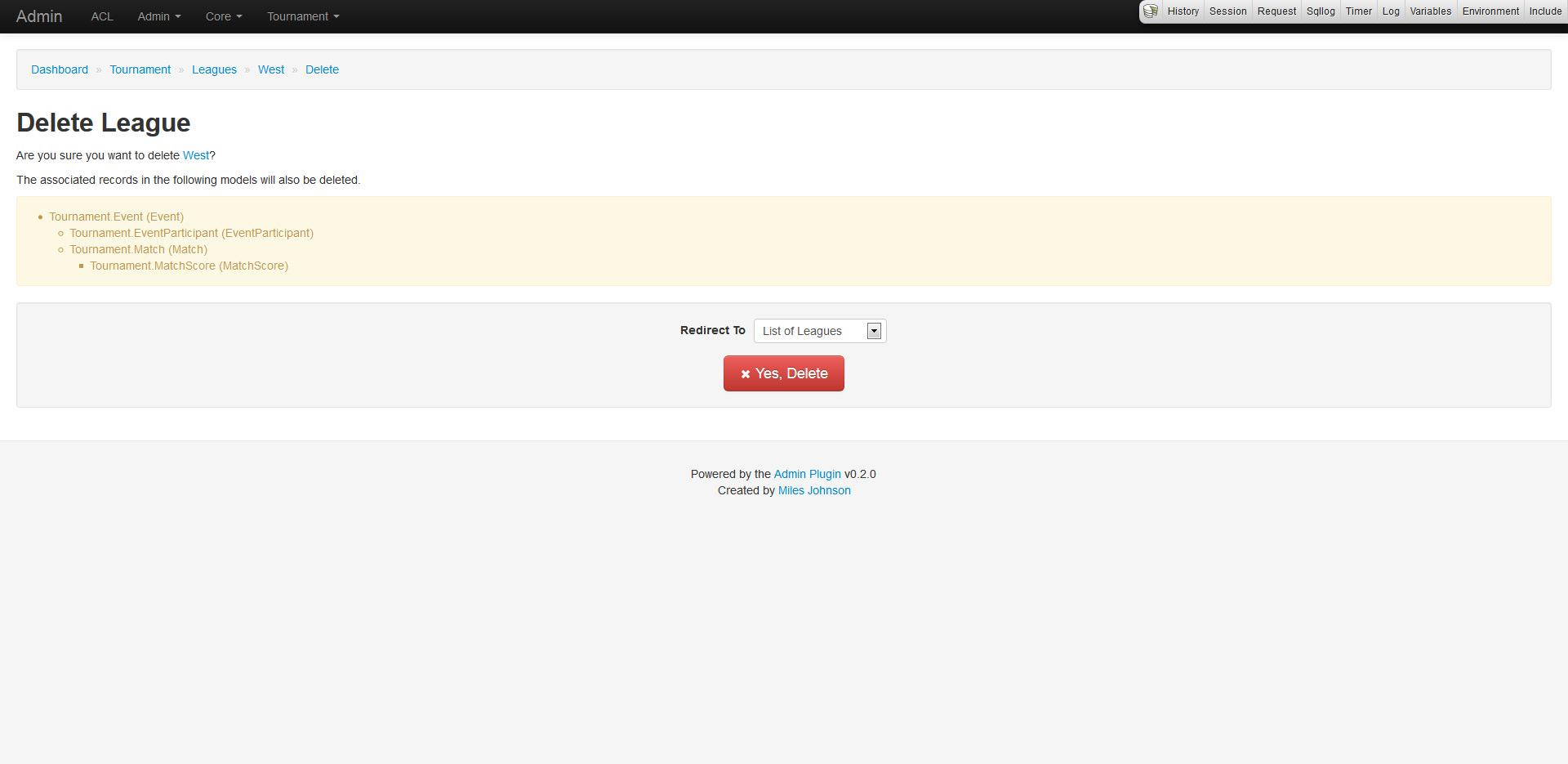
And finally the delete page, which provides a confirmation of deletion (because everyone hates accidental deletions). The confirmation also displays a nested list of dependent associated records that will also be deleted.
Access control lists, really?
No one ever uses the ACL system, why? Because it's complicated and hard to learn. I would always steer away from using CakePHP's ACL, but after diving into it, I must say that it is very powerful if used right (and here's to hoping I am). The ACL supports AROs (basically users, groups and roles), ACOs (objects to administer) and permissions (CRUD access). The plugin makes heavy use of defining ACOs for every model and setting up ARO permissions to enable or disable CRUD functionality.
The plugin also generates an ACL matrix which displays an overview of CRUD permissions for AROs (vertical columns) and ACOs (horizontal columns). Each of the 4 boxes represent an action: create, read, update and delete. Each color represents permission: green has access, red does not, while blue inherits from parent.
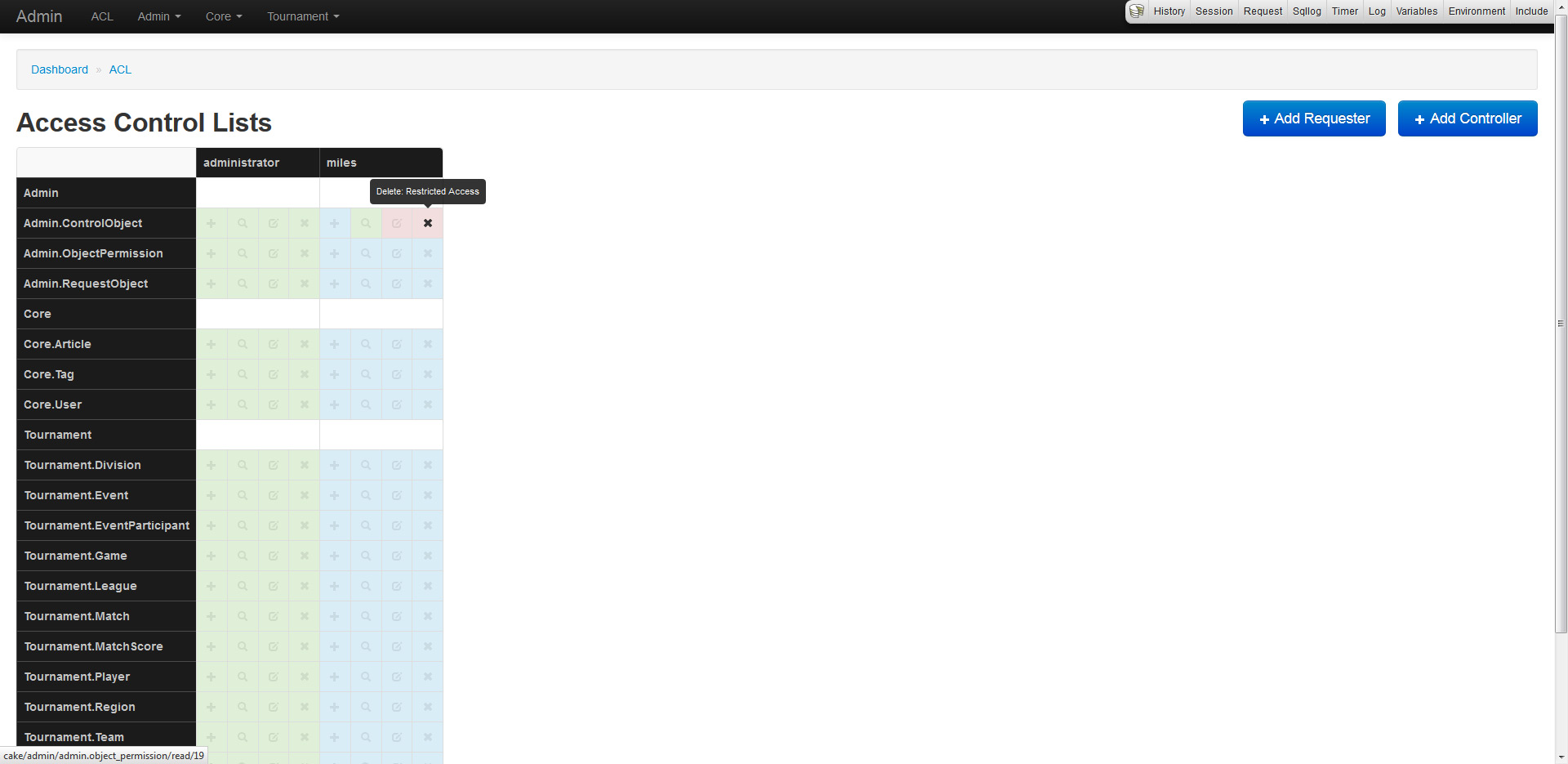
To integrate ACL into the admin plugin, custom models were created. They are RequestObject (extends Aro), ControlObject (extends Aco) and ObjectPermission (extends Permission).
This looks outstanding, what else is down the pipeline?
Since this is a very early alpha preview, much more will come of this plugin. Since the features are too awesome to describe, I will just list a few.
- Custom icons for each model/plugin
- Overrides for controller and view CRUD
- Filtering and searching
- Improved support for behaviors like Tree
- Logging of administrator actions
I would really love some feedback and suggestions on this. Do note that since this is in alpha, the plugin is not production ready, and as such should be installed using a dev minimum-stability in Composer.
5 Comments
thanks for sharing and simplifying ACL management. which always a horror dream for me to implement in a project
I've already installed it on my dev machine and will definitely be using this plugin for my next project; in the meantime there's a bunch of bugs and weird behaviour that I will report to you as soon as I get some time to list them and work out patches
I'll give it a try ASAP