Down the admin pipeline

Nearly 2 weeks ago I talked briefly about the CakePHP admin plugin I was building. Since then I have tagged 10 minor versions with many new features and bug fixes. I spent a good chunk of my time testing the admin against my current applications and attempting to fix any issues. I can only do so much testing by myself, so if any of you end up testing the plugin, I would greatly appreciate some feedback!

Models overview

While testing the admin against my applications, I noticed many models were missing display fields and associations. I figured an overview table of all model properties would be a great feature to include.
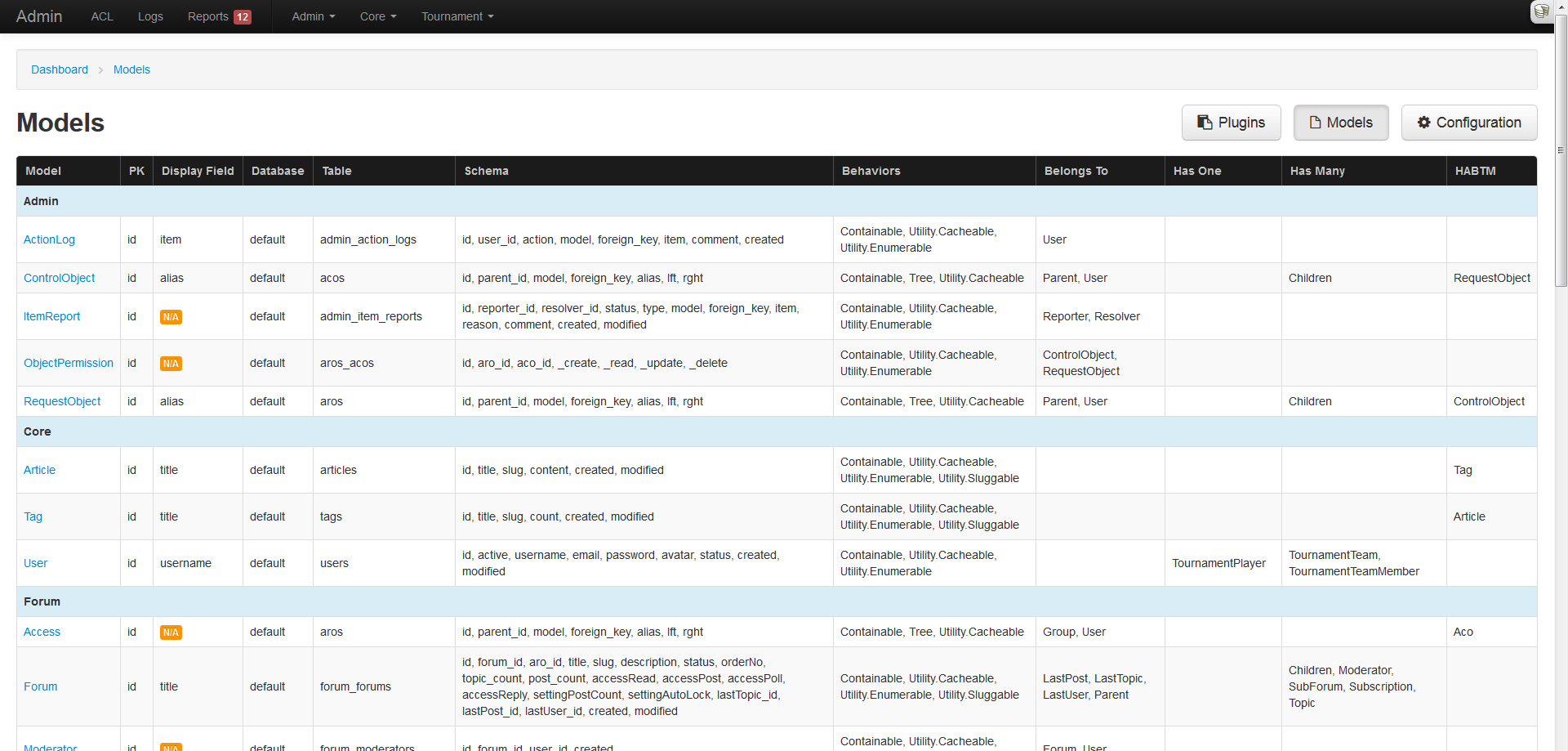
Configuration overview

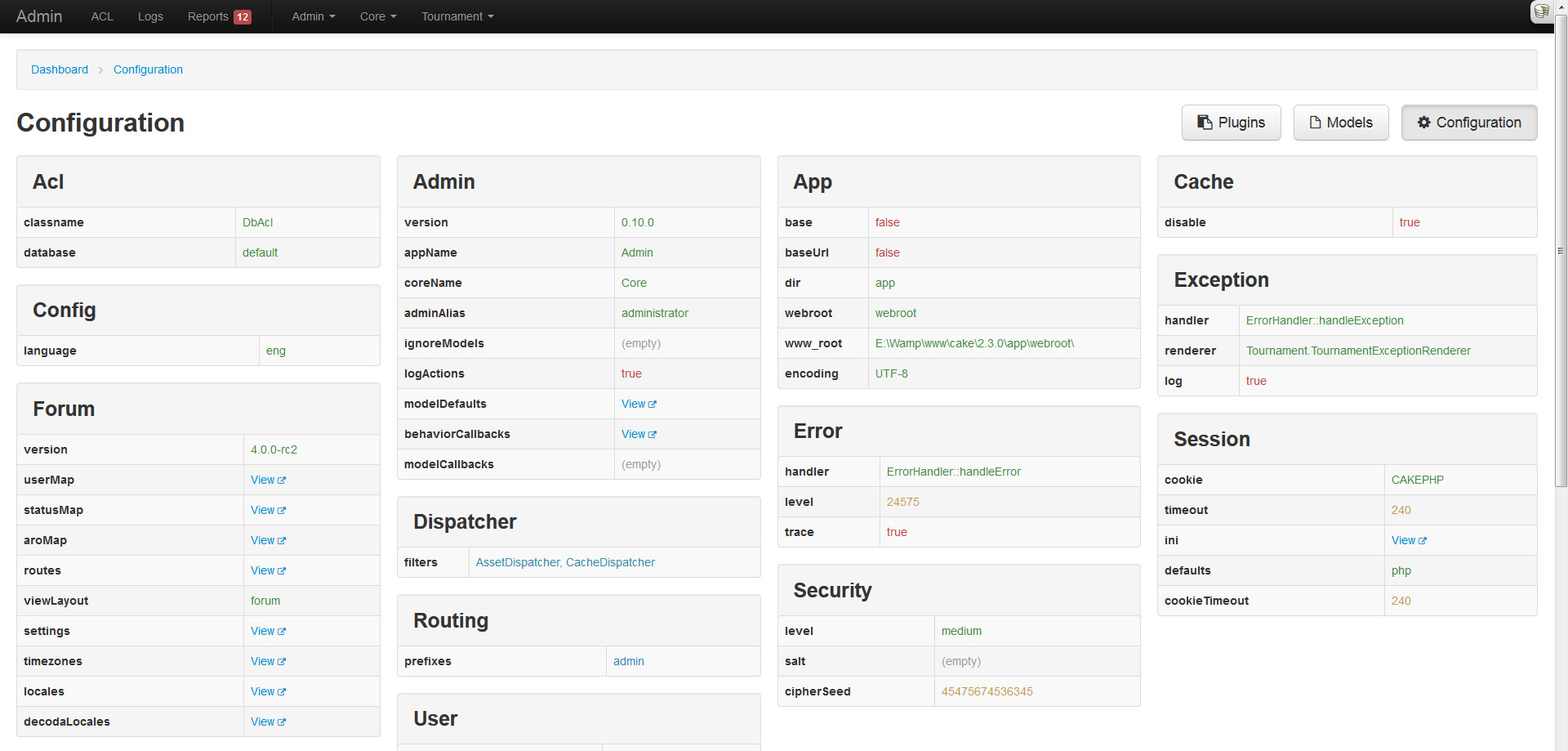
Hot on the heels of the models overview, I decided to apply the same treatment to CakePHPs configuration. This page will display all the top-level configuration settings in neatly structured tables and columns.
Action logging and syslog overview

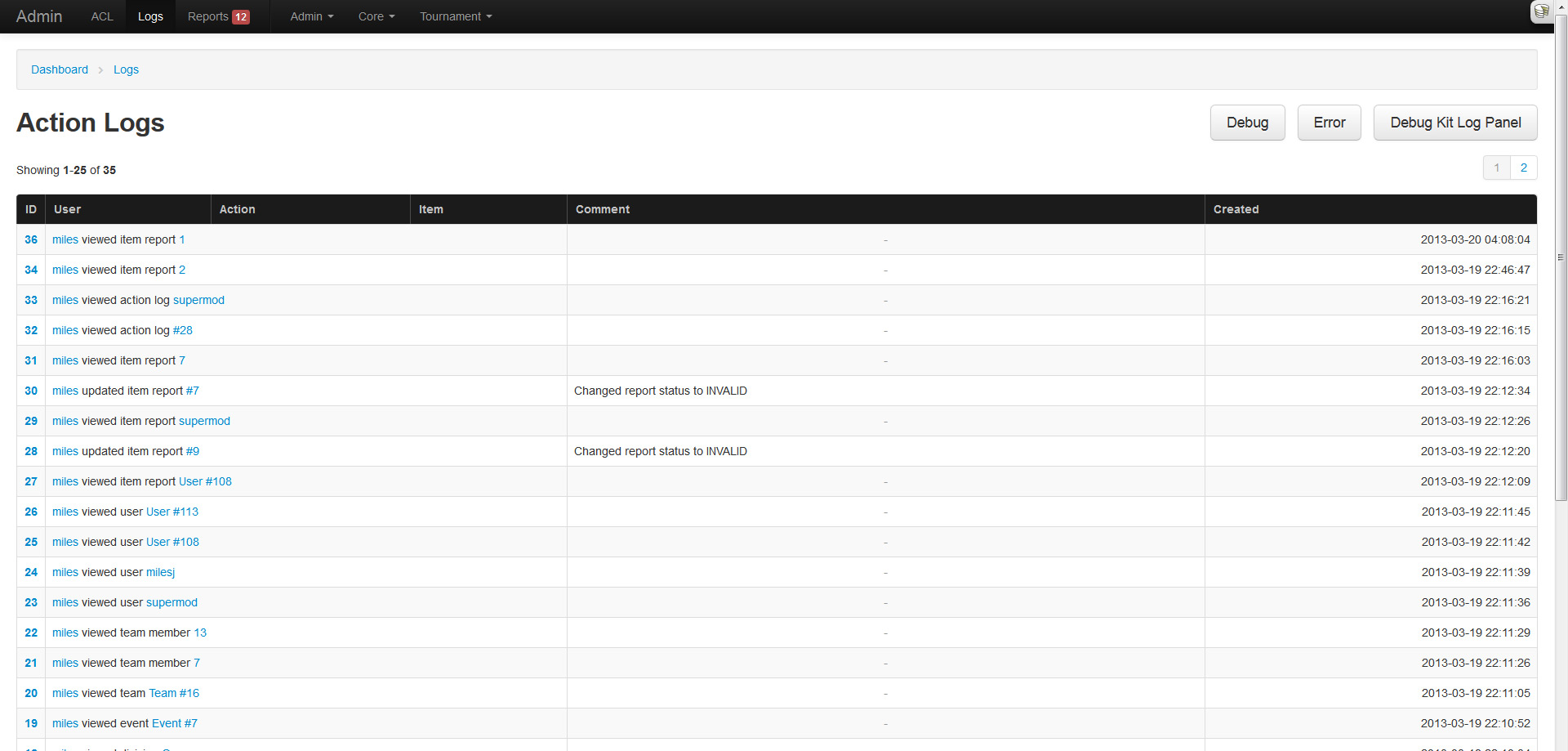
Any sane admin system would log an administrators actions, because you know, just in case they do something shady! The admin plugin comes enabled with a logging system that tracks all users actions. This feature can be enabled (default) or disabled through Configure. To manually log something, one can use the AdminToolbarComponent::logAction() method.

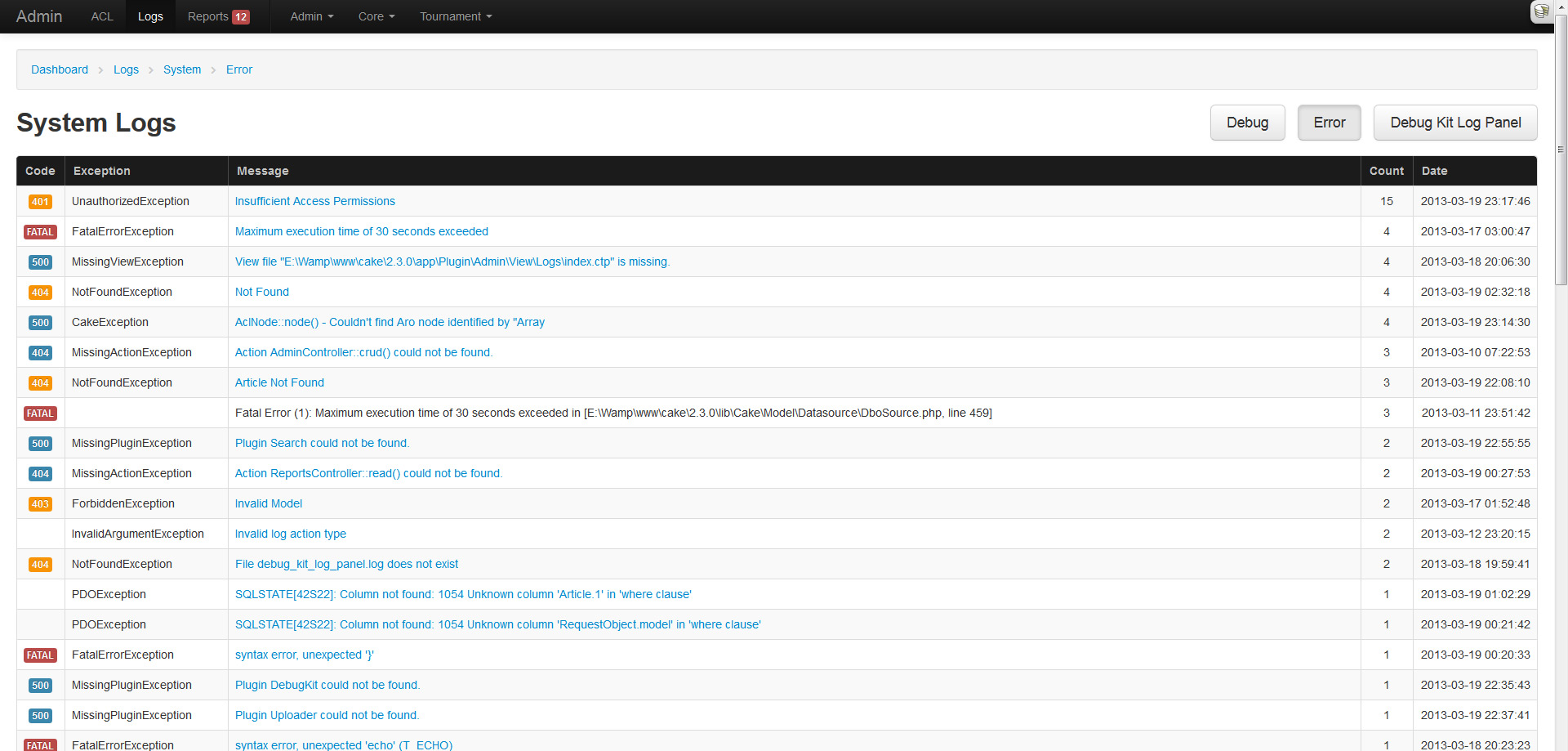
If you are like me, you get tired of SSHing into your server and checking the logs, or are too lazy to setup Splunk or Logstash. Because of this I added a simple log parsing feature that aggregates exceptions and displays them in a pretty table. Do note that this is basic parsing and shouldn't be heavily relied on, and will only parse logs under 2MB.
Reported content

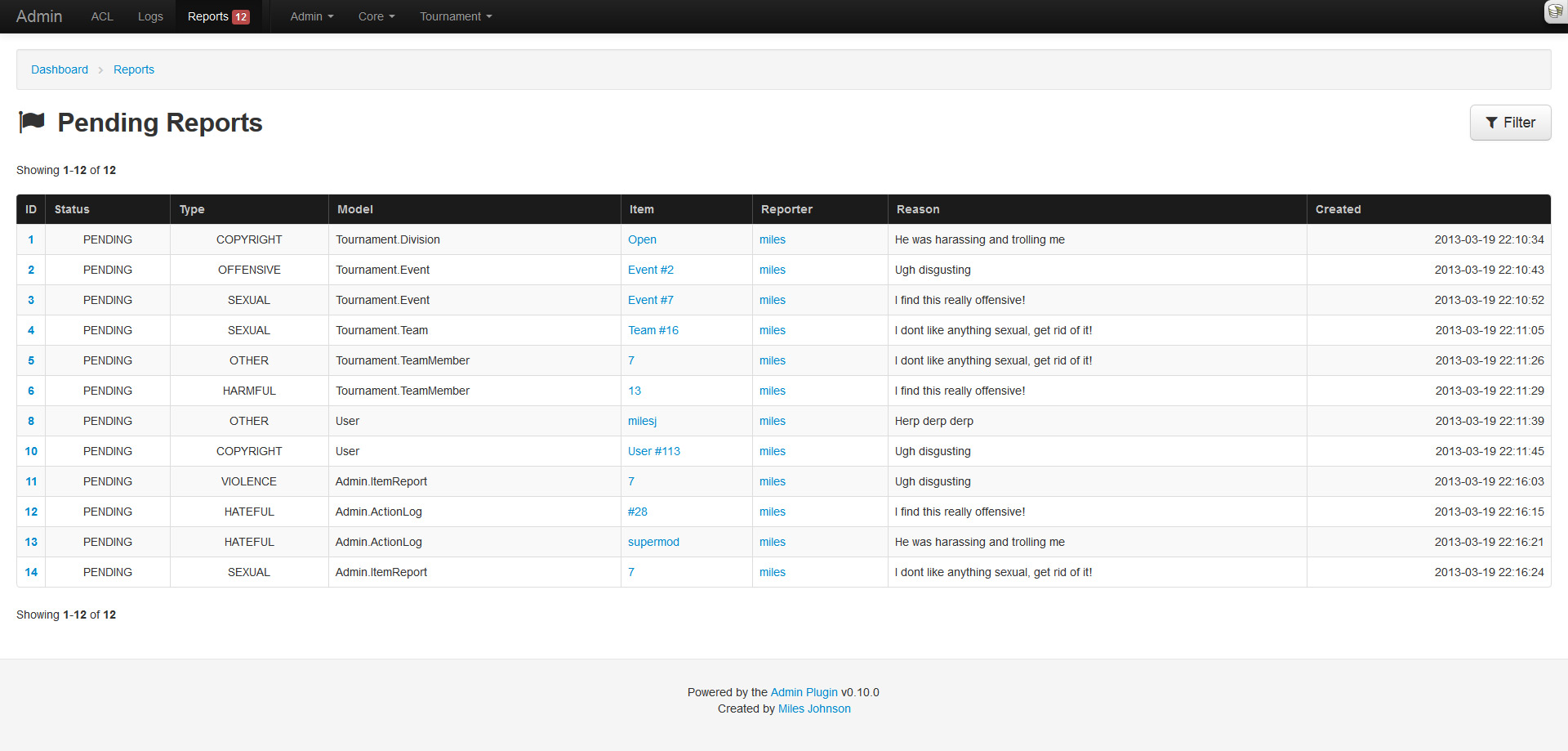
Another useful feature that many sites utilize is a content reporting/flagging system. My forum plugin utilizes one, my tournament plugin will, and my applications do. Each of them rolled their own system, so I thought it would be easier to roll this feature into the admin and have them all extend from it.

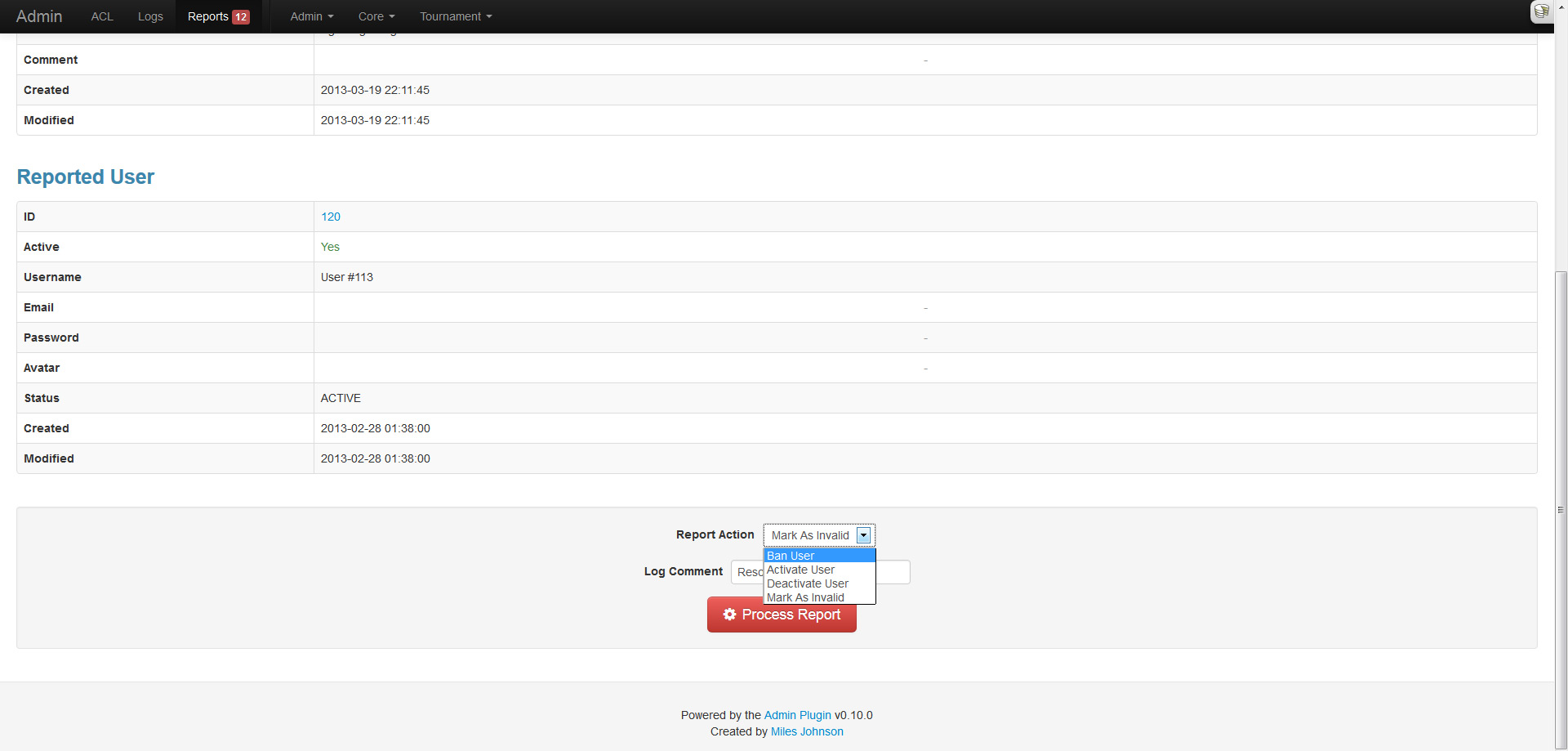
Every user can report content (a model record) and organize it under a specific type (sexual, offensive, etc). These pending reports will then appear in the reports section of the admin until they are resolved by an administrator. For ease of use, the AdminToolbarComponent::reportItem() method can be used within the application context.
Model and behavior callbacks

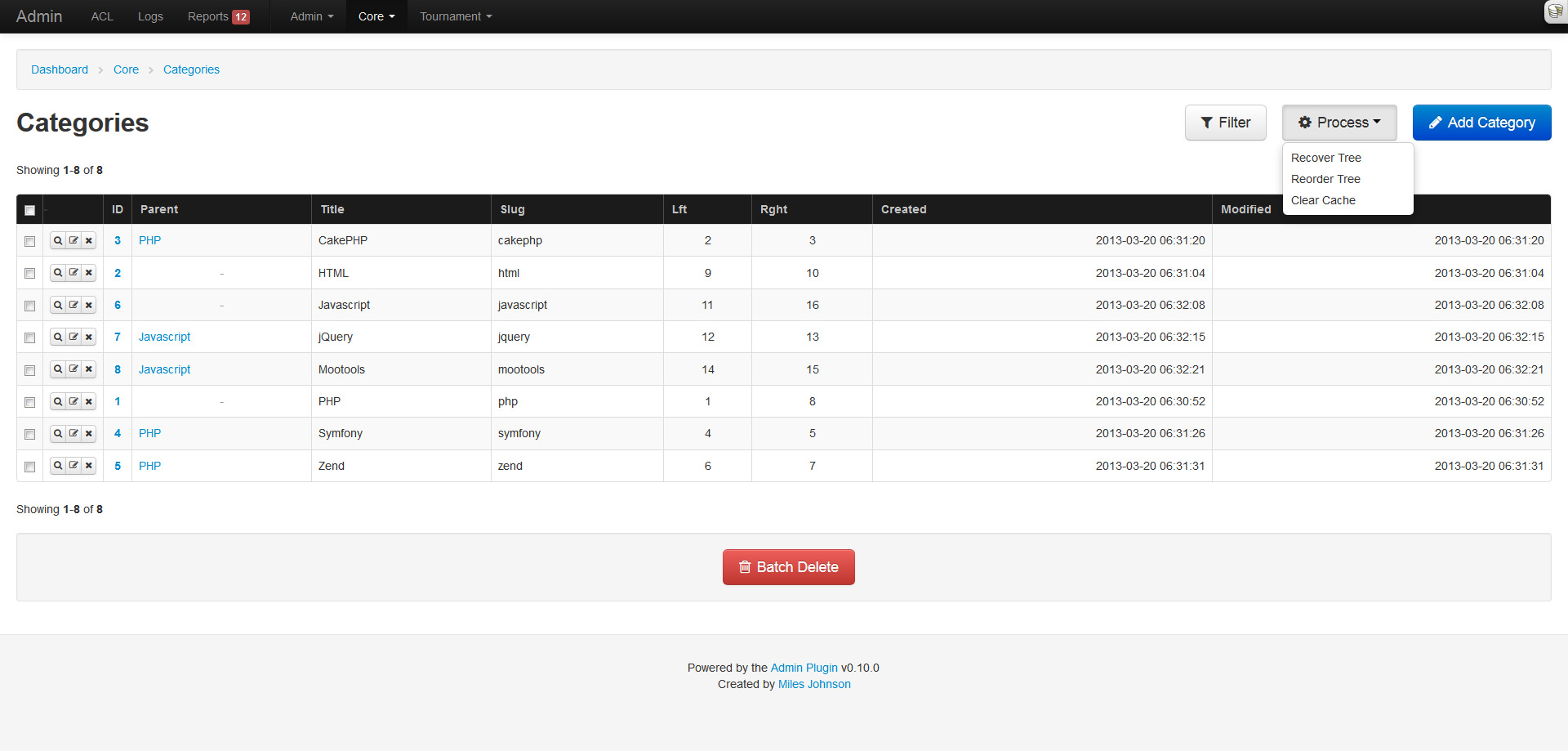
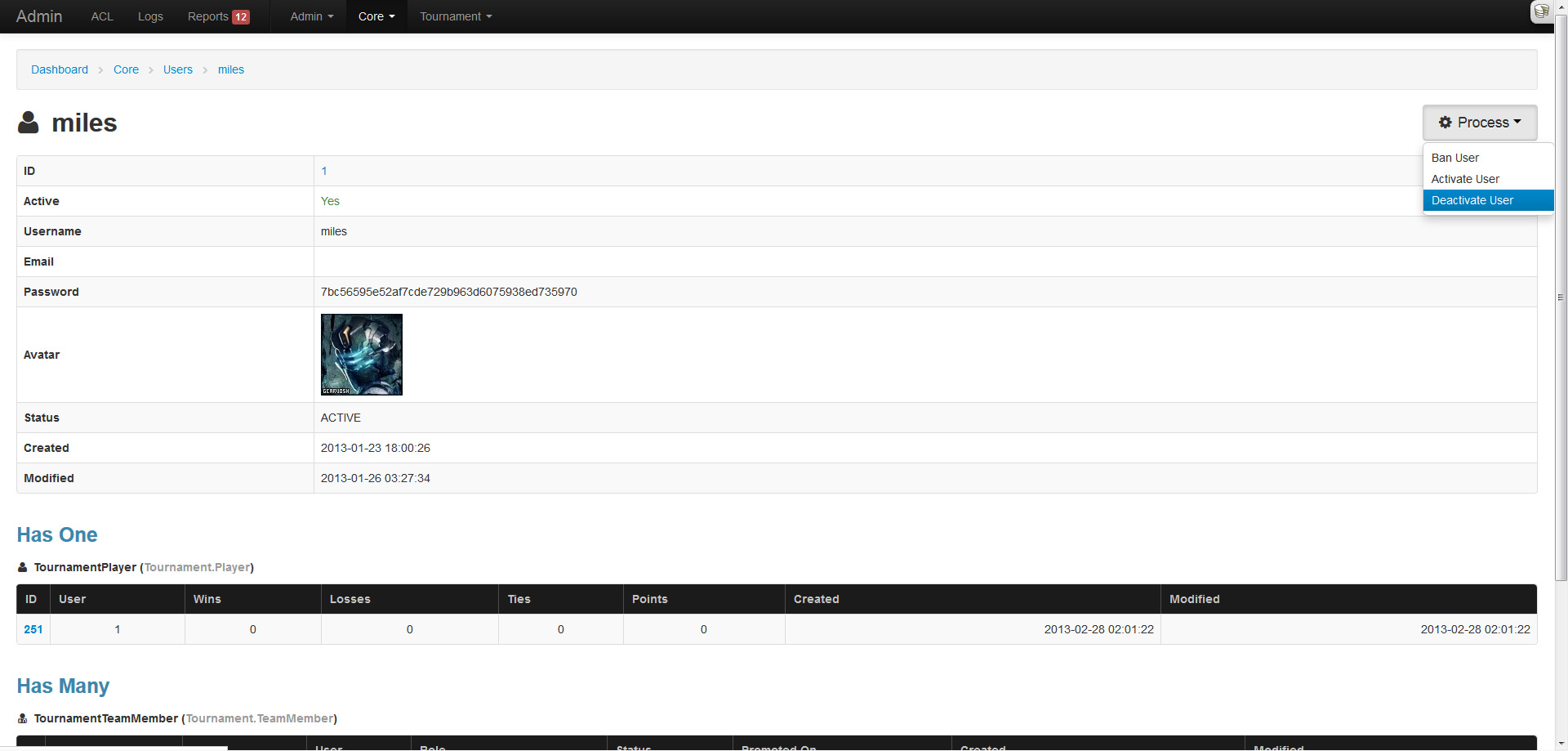
Another nifty feature is the ability to configure model and behavior callbacks that can be triggered from the index listing (behavior) or the read page (model). This allows behavior methods like TreeBehavior::reorder() and CacheableBehavior::clearCache() to be executed within the admin. As for models, it allows custom methods like User::ban($id) to also be executed from within the admin (and is also used in reports).
Filters

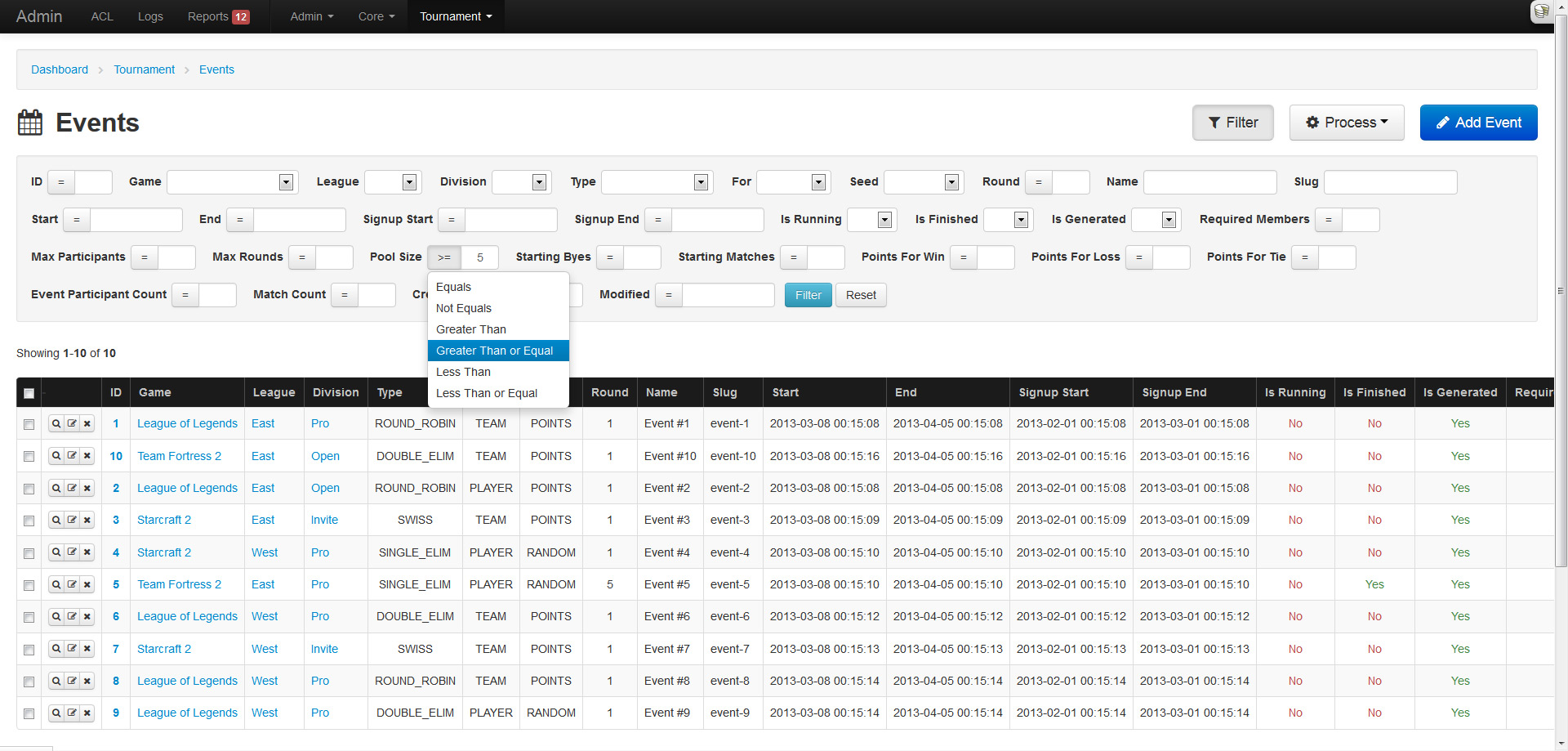
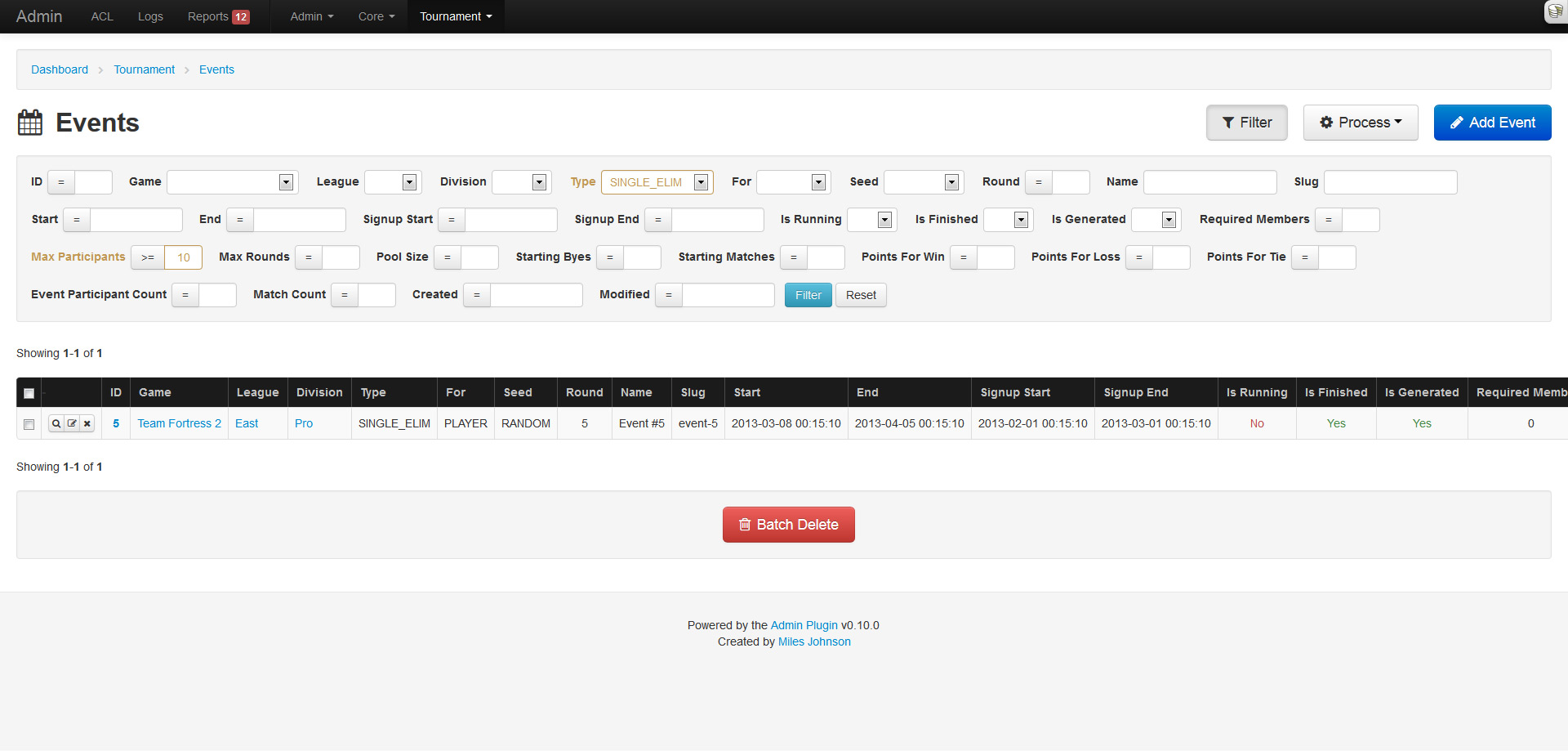
What kind of system would this be if you couldn't filter results? A crappy one! Good thing this plugin is amazing. The index page now supports filtering (via named params) and pagination in unison. The filter fields are determined from the models schema and work in a similar fashion to the create and update pages.

Integer and date fields provide a comparison dropdown that lets you choose the operator to use: less than, not equals, etc. Dates allow for any kind of input and will be strtotime() on the backend. Enumerables, booleans and belongs to relations will be represented as a dropdown. Strings will result in a LIKE %% query. Any active filter will be highlighted in yellow.
Well this is cool and all...

Don't forget all the custom model icons, and the localization support, and the table action buttons, and yeah, many more things. I have a long list of features to still add, so stick around!
Because everyone needs an admin

If you are like me, you hate building administration panels. They either take the same length of development, or more, compared to the actual application. On top of that, you end up re-building an admin interface for every application. So... much... effort... I'm just too lazy. Out of 3 personal applications that I have running live, none of them have an admin interface (Yay for raw MySQL!). I think it's about time I solve this problem by creating an all-purpose CRUD plugin that can be dropped into any application. I looked around at other plugins, but none of them offered what I wanted; even CakePHP scaffolding, BrowniePHP and Croogo fell short. I only had 3 hard requirements:

  • No manual installation (creating controllers, views, etc)
  • CRUD mapping for every model (including plugins)
  • ACL, authentication and authorization

So with no viable option, I went ahead and built this plugin over the past week, aptly named Admin. The plugin meets all the requirements I listed above and then some. Let me take you on a wonderful tour of its features and functionality. In my quick little demonstration, I will be using a test application that also uses the Forum and Tournament plugins that I wrote.

Everyone loves dashboards

To keep things simple, I tried not to clutter the layout. The design and layout implement Twitter Bootstrap, along with its responsive styles and jQuery components.

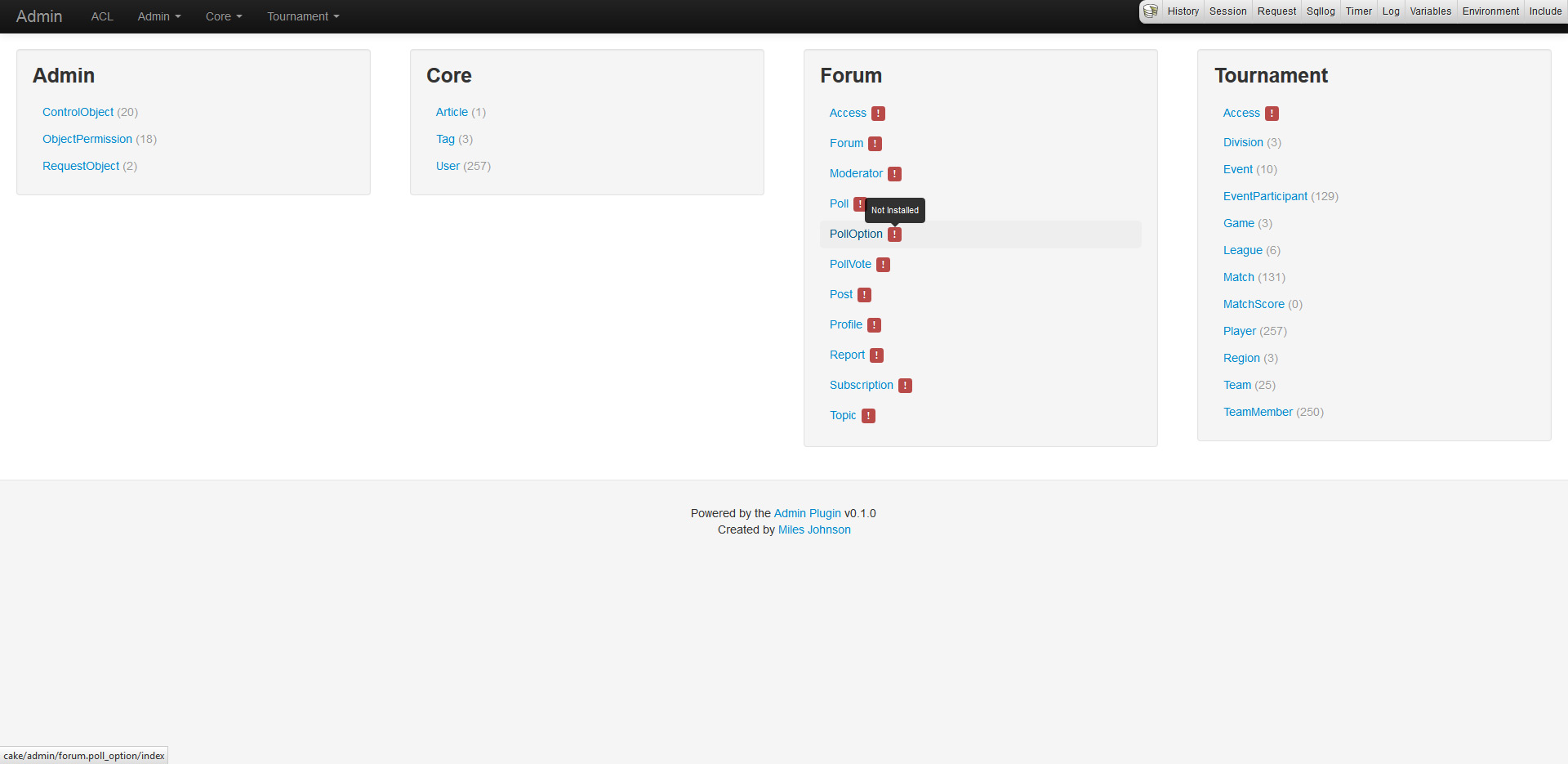
The admin dashboard and navigation simply list out all enabled plugins and their models. Models need to be installed from the shell before CRUD can be enabled. If a model is not installed, a red warning will appear and exceptions will be thrown when trying to navigate around.

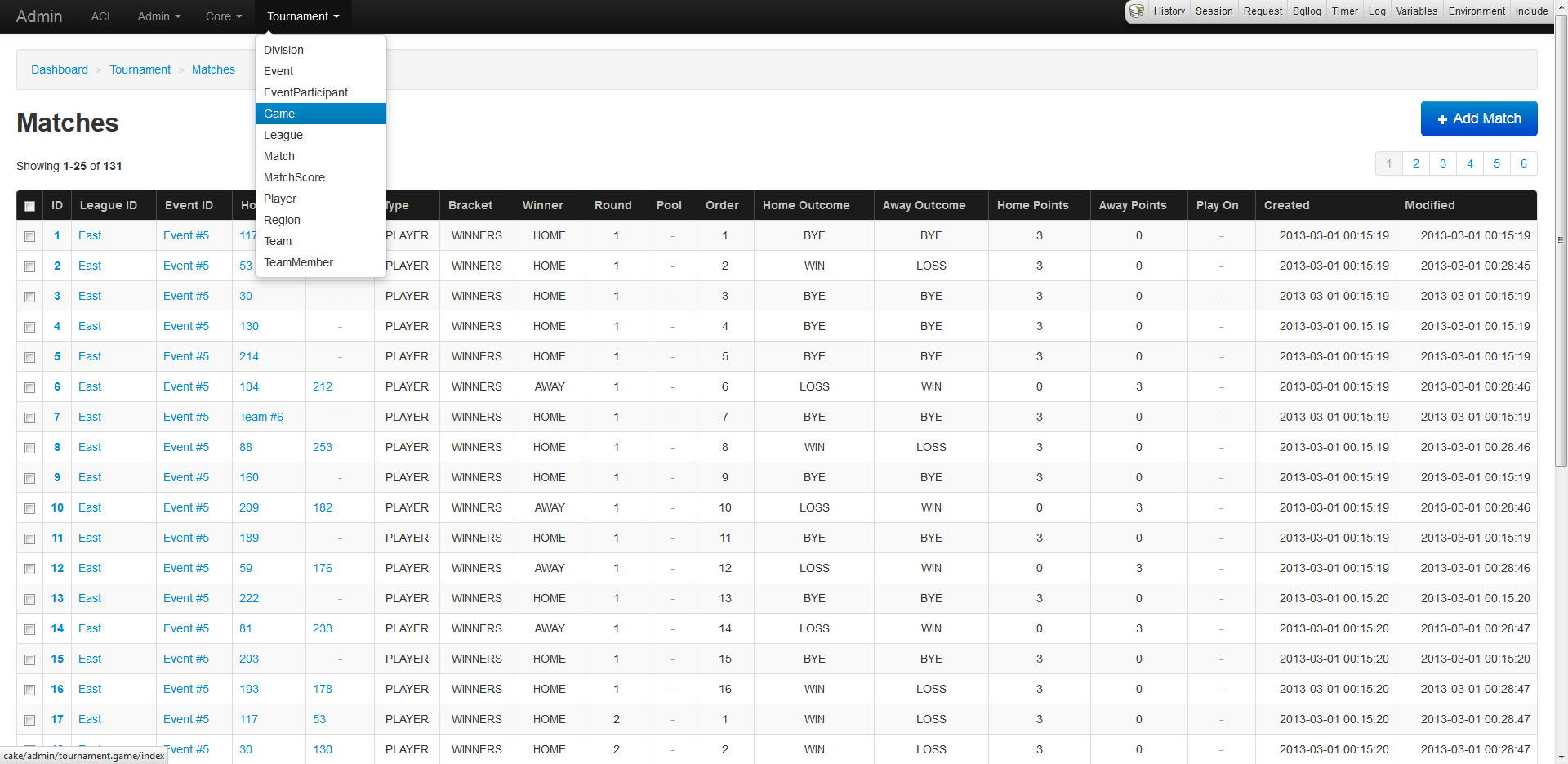
The index of every model will list out and paginate all records (duh). The records will also fetch and display belongsTo fields by utilizing the models display fields and primary keys. If your models inherit Utility.Enumerable, their values will seamlessly be replaced by their enumerable equivalent (the same applies to forms).

CRUD is the staple of any admin

Wouldn't you agree? That's why the plugin supports moderate CRUD functionality for all models, including plugins, right of the box (not really, but requires minor installation). No controllers are needed as every model is URL routed and mapped allowing quick development. The system relies heavily on a models property definitions (display field, primary keys, associations, database schema, etc) to generate and provide strict functionality. CRUD also makes use of ACL allowing users and groups specific access.

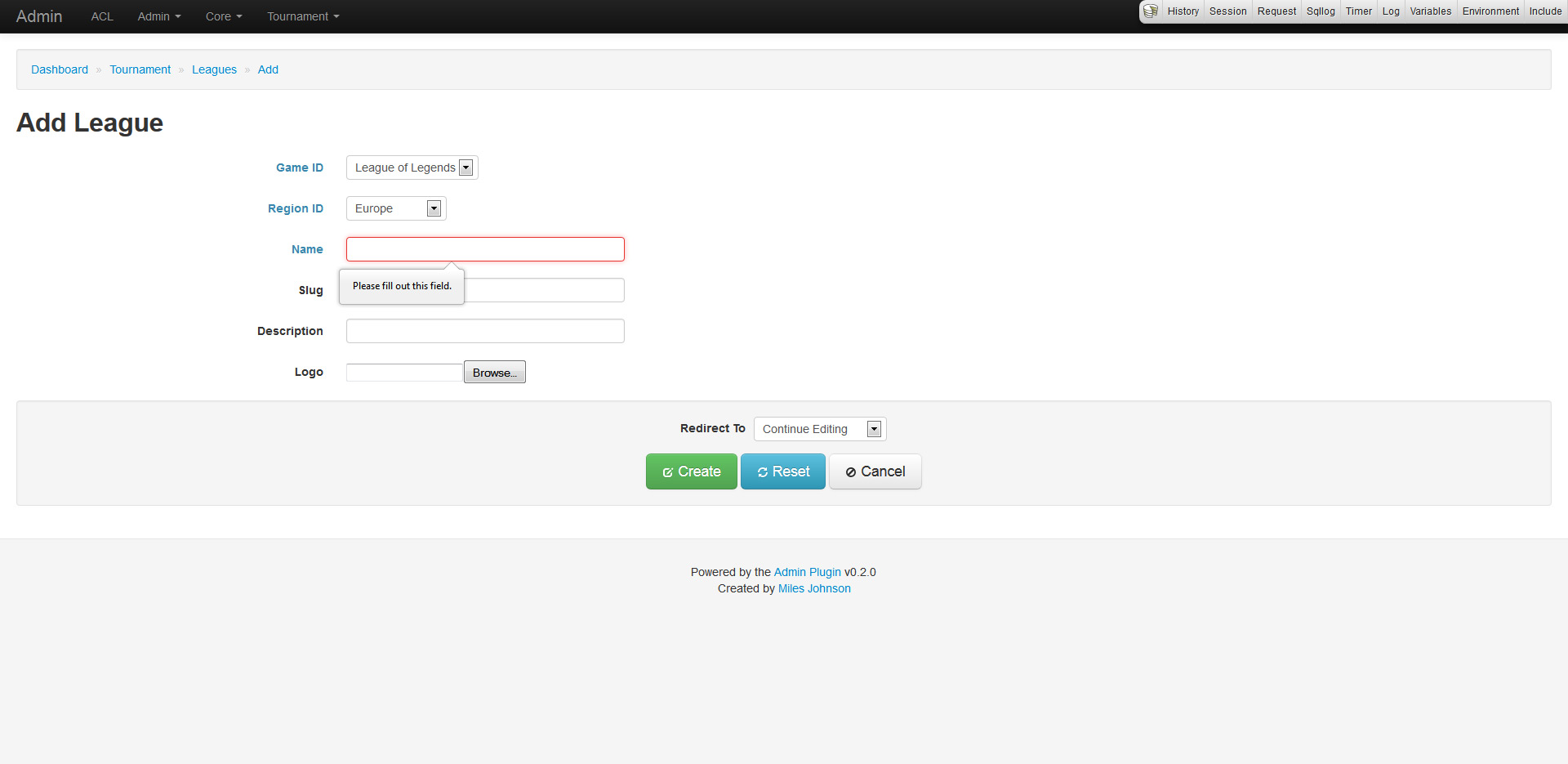
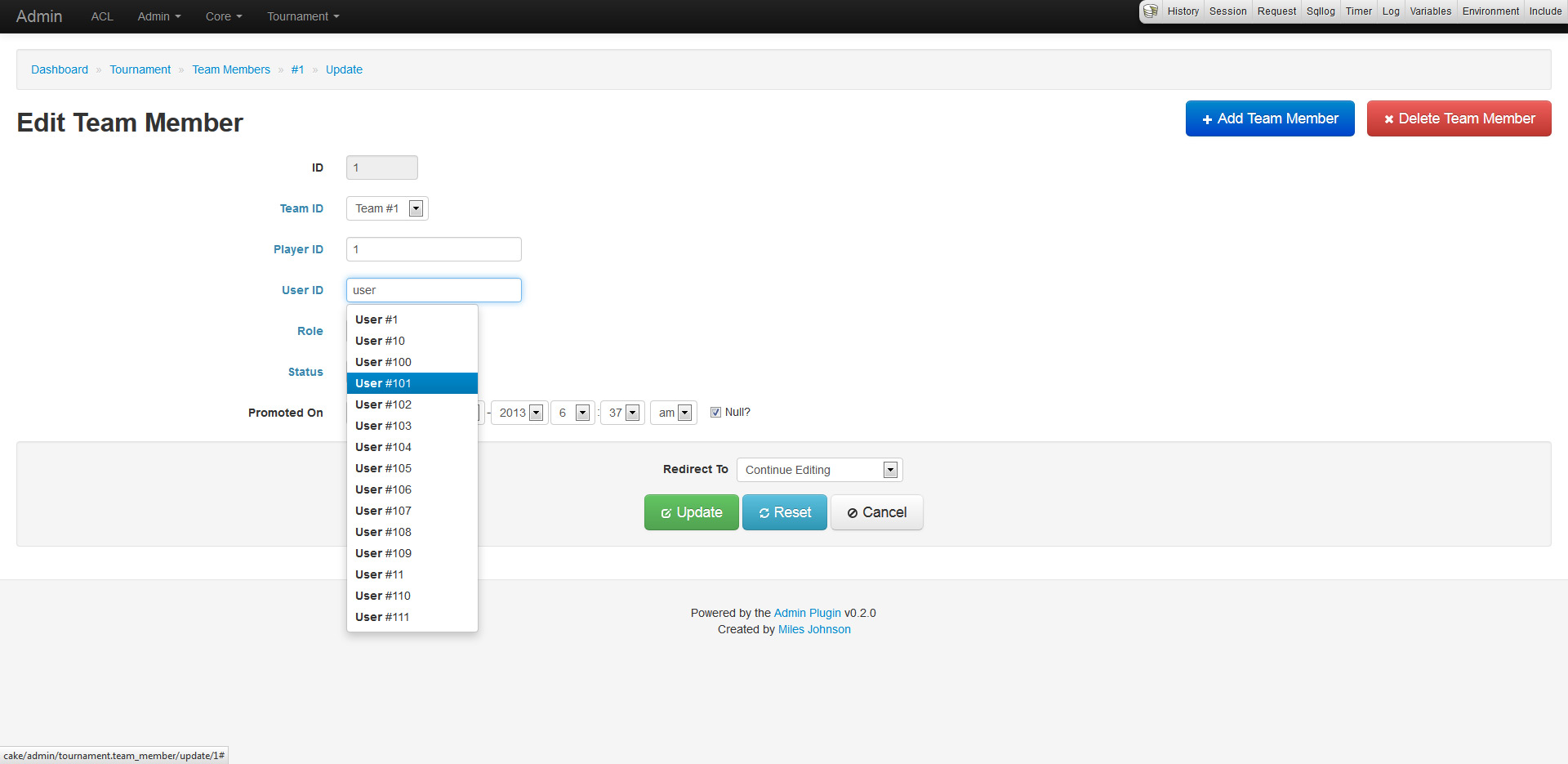
The create and update pages work in a similar fashion. Every form has functionality derived from the models validation rules, database schema and associations. This allows for input fields to set requirements, null checks and more. Any belongsTo field is represented as a drop down list or a type ahead field (depending on how many records exist in the database). Forms also provide minor support for hasAndBelongsToMany relations.

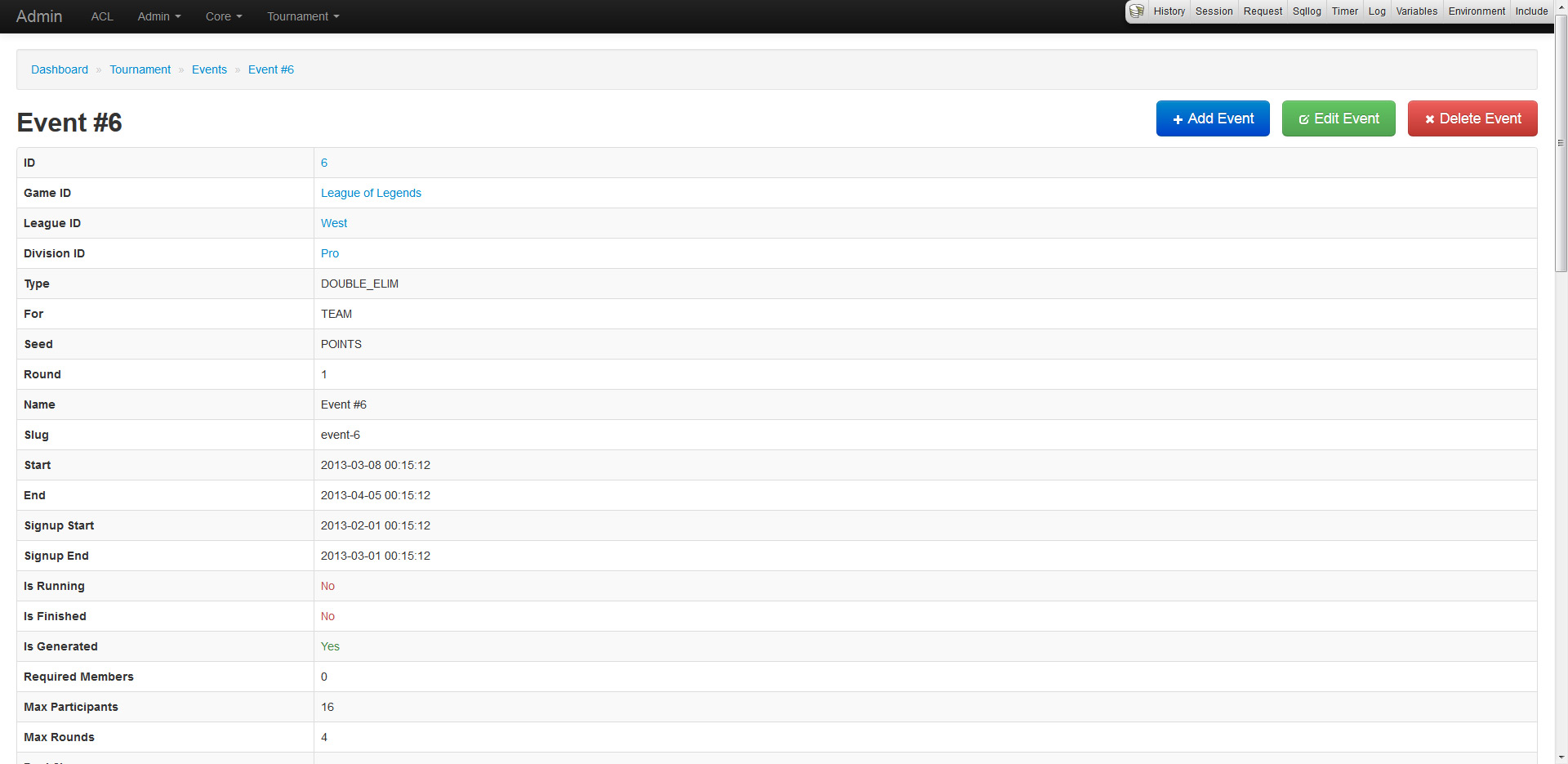
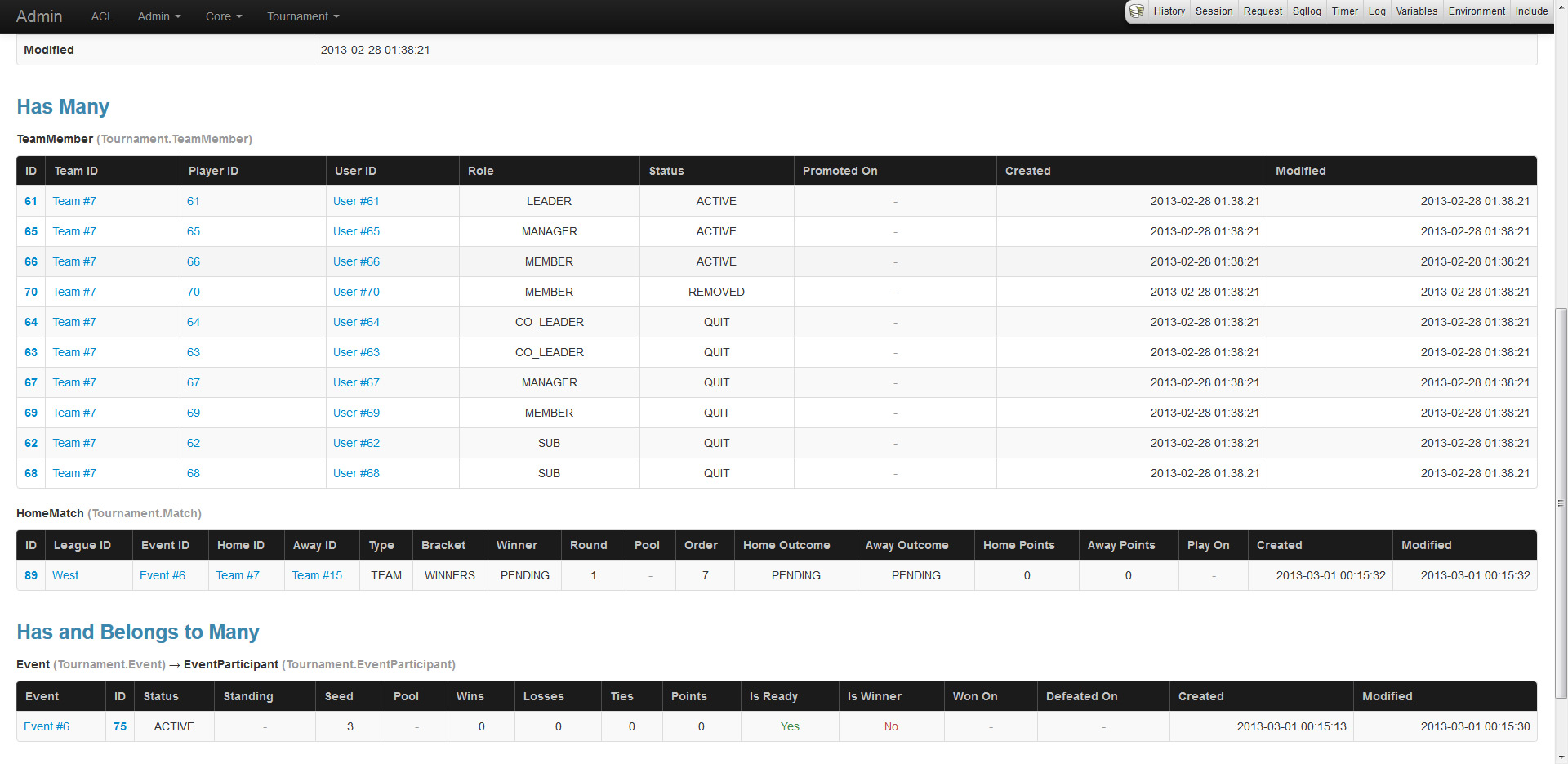
The read page provides an overview of a record including full associated data. Be careful as this page will pull in all data unless limits and conditions are placed.

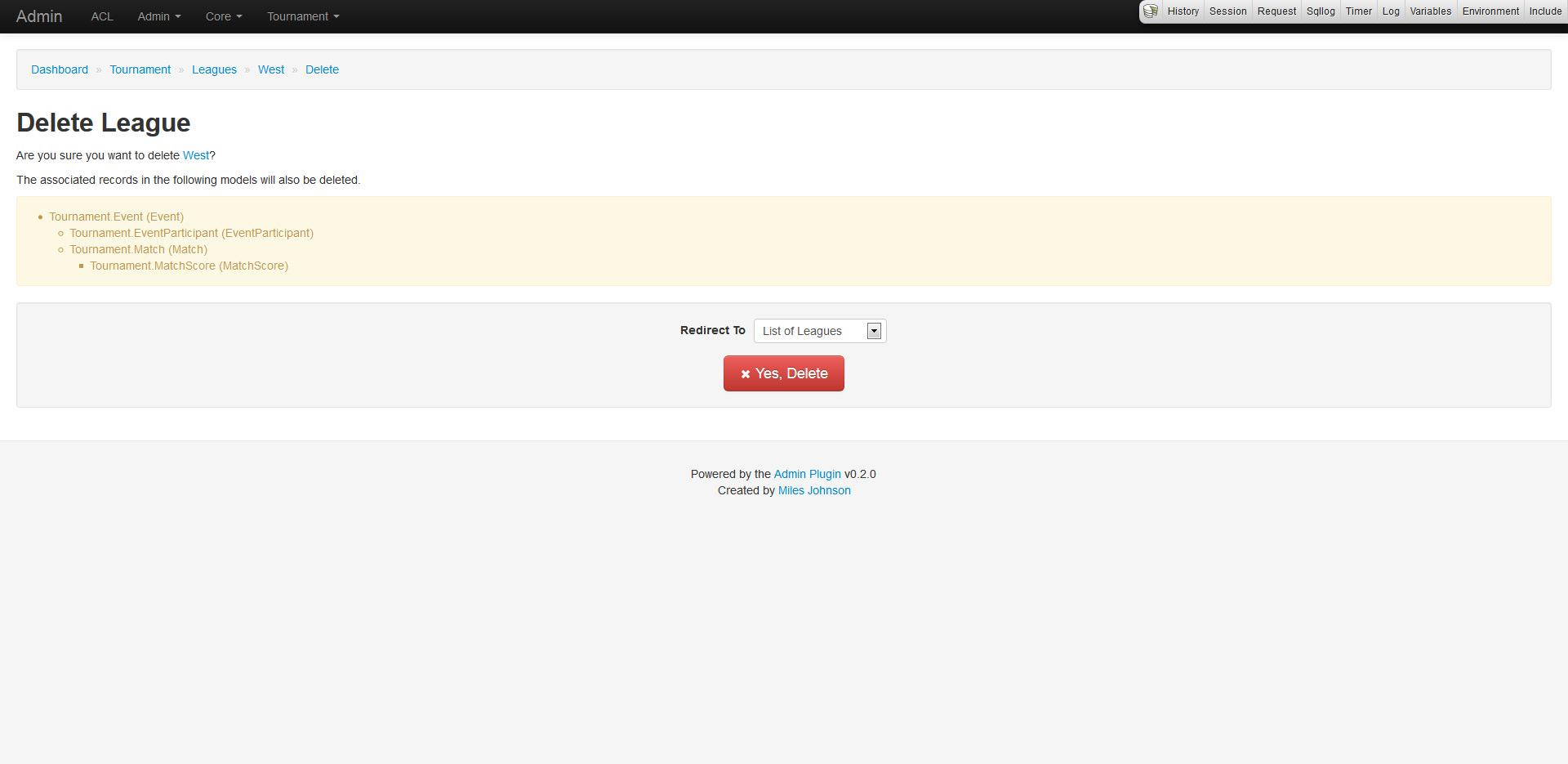
And finally the delete page, which provides a confirmation of deletion (because everyone hates accidental deletions). The confirmation also displays a nested list of dependent associated records that will also be deleted.

Access control lists, really?

No one ever uses the ACL system, why? Because it's complicated and hard to learn. I would always steer away from using CakePHP's ACL, but after diving into it, I must say that it is very powerful if used right (and here's to hoping I am). The ACL supports AROs (basically users, groups and roles), ACOs (objects to administer) and permissions (CRUD access). The plugin makes heavy use of defining ACOs for every model and setting up ARO permissions to enable or disable CRUD functionality.

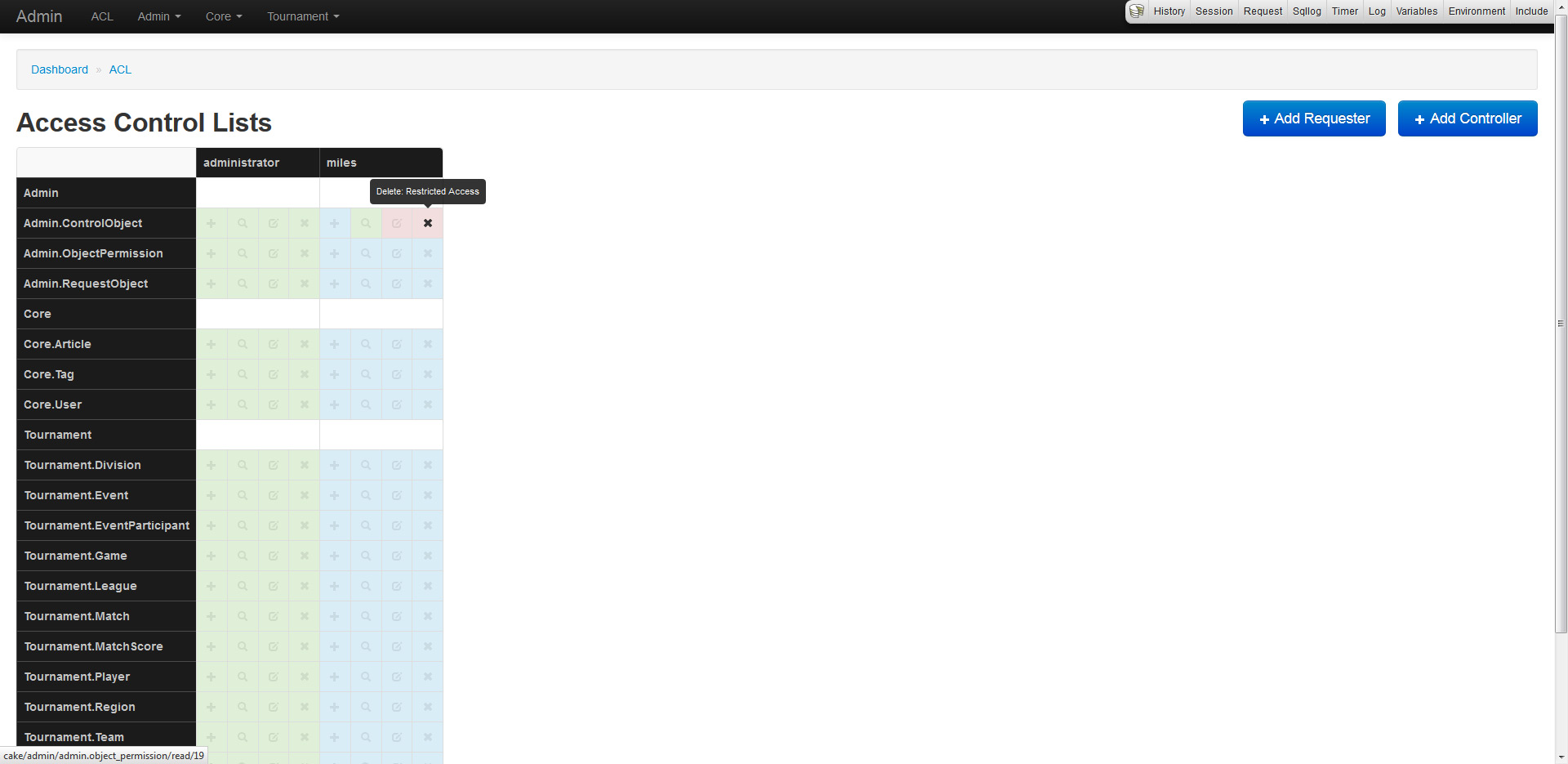
The plugin also generates an ACL matrix which displays an overview of CRUD permissions for AROs (vertical columns) and ACOs (horizontal columns). Each of the 4 boxes represent an action: create, read, update and delete. Each color represents permission: green has access, red does not, while blue inherits from parent.

To integrate ACL into the admin plugin, custom models were created. They are RequestObject (extends Aro), ControlObject (extends Aco) and ObjectPermission (extends Permission).

This looks outstanding, what else is down the pipeline?

Since this is a very early alpha preview, much more will come of this plugin. Since the features are too awesome to describe, I will just list a few.

  • Custom icons for each model/plugin
  • Overrides for controller and view CRUD
  • Filtering and searching
  • Improved support for behaviors like Tree
  • Logging of administrator actions

I would really love some feedback and suggestions on this. Do note that since this is in alpha, the plugin is not production ready, and as such should be installed using a dev minimum-stability in Composer.

Refactoring is fun

For over a year now I have been eager to redo the backend (built on CakePHP) of this site. I kept putting it off, until last week when I was fixing bugs that I realized it would be more beneficial to just rebuild the whole site. I wanted to redo both the PHP and the database tables, as the old tables were from a previous installation. Here's just a quick list of things I wanted to change:

  • Separate blog tags into its own table and setup a HABTM (was a column in each entry)
  • Remove ENUM fields from the database tables and use class constants
  • Use slugs for all dynamic URLs
  • Use the model's counterCache system instead of a count find()
  • Add a blog series system (example)
  • Fix the bugs in my comments and contact forms
  • Rebuild the code/script section and remove the old "versioning" system (since I use Github now)
  • Build an admin panel

So to begin this huge task, I created new database tables based on the architecture I wanted. Once done, I created all the models for each of these new tables (and made sure to keep the old models for importing). The next step was to create CakePHP shells that use the old models to generate the new data structure and save it into the new tables (while keeping legacy IDs intact). This database changed fixed the dislikes I had with the old table columns (by removing ENUMs), added the slug and ID fields where necessary, and removed the old and useless tables I don't have a need for. First task complete.

Now that the fun step was over, it was time to refactor all the old controllers and views. Most of the old controllers were re-usable (like blog, pages, comments and feeds), all I simply had to do was make sure the new column names were being used and add support for new features (blog series, etc). The most time consuming part in this process was splitting up the old resources controller into two new controllers: code and snippets. Since the code section of my site was re-built from the ground up, these controllers also had to be rebuilt. The new code structure only uses 3 tables compared to the previous 5, win! However, I still had a problem with old legacy URLs. The solution I went with, was to allow the old URLs to redirect to the new ones using a jump controller (which also powers my tiny URL system), as well as allowing the URLs to work with a slug or ID (very important). Example, all of these links lead to the same place.

http://milesj.me/code/cakephp/forum
http://milesj.me/resources/script/forum-plugin
http://milesj.me/c/13

At this point, I was extremely pleased with the refactoring process. The next and last step was to create an admin panel system for all types of content on the site (I didn't have one before). I decided to place all of this code within a plugin, as I didn't want to litter my controllers with admin_ methods and it gave me more control of security and management as it was self-contained. I was expecting this process to take weeks to finish, but I completed it in less than 8 hours, win again! I used the technique of having a single view template for both the add() and edit() methods and was able to re-use a lot of code (DRY for the win). I highly suggest this approach for anyone who needs an admin system.

All in all, the process wasn't as back breaking and time consuming as estimated. I basically rebuilt the whole site in under 2 weeks, working about 1 hour a day. If you are interested, here's a quick list of all the changes.

  • Importing of old data into new database tables
  • Refactor of old models, controllers and views
  • Moving tags into a HATBM table and model
  • Adding slugs to all URLs
  • New blog archiving system for date ranges, tags and topics
  • New blog series feature
  • Adding counterCache for comments and tags
  • Adding a jump controller to deal with legacy URLs and tiny URLs
  • Splitting of old resources controller into code and snippets
  • Rebuilding the code packages and versioning system

I wouldn't doubt it if I forgot something! But whats next you ask? The worst part of all, updating my documentation. Now that will take some time.

Single or multiple feed aggregation?

I recently published a beta version of my feeds plugin for CakePHP. This plugin was previously the FeedAggregator component, but it made more sense to break it up into a datasource and model, and finally package as a plugin. The datasource is pretty straight forward as it accepts an array of URLs (RSS feeds), fetches each one through an HTTP request, parses the XML into an array, and then returns the result. The model is simply there for your convenience.

Now the dilemma I am running into is whether or not the datasource should only parse one feed at a time or multiple feeds (currently this). It can go either way: the datasource parses multiple feeds and uses the model to return them, or the datasource parses one feed and the model manages multiple connections and merging. Now the big question for you guys... Should the datasource parse one feed at a time or multiple feeds?

Currently you use the model to pass an array of URLs (through the conditions option), the limit, which fields (elements in the XML) you want returned, and some cache/feed settings. Here is a quick example:

// Multiple feed parsing
$feeds = $this->Aggregator->find('all', array(
	'conditions' => array(
		'Starcraft 2 Armory' => 'http://feeds.feedburner.com/starcraft',
		'Miles Johnson' => 'http://feeds.feedburner.com/milesj'
	),
	'feed' => array(
		'cache' => 'feedCacheKey',
		'expires' => '+24 hours',
		'explicit' => true
	)
));

And I am assuming single feed parsing would look something like this:

$feed = $this->Aggregator->find('first', array(
    'conditions' => array('http://feeds.feedburner.com/milesj'),
    'feed' => array(
        'cache' => 'feedCacheKey',
        'expires' => '+24 hours',
        'explicit' => true
    )
));

I am kind of split on how I should go about this and would really love your opinion. I am currently leaning towards multiple feed parsing (current implementation), but if someone has a good argument in not doing so, I will change it.

Cupcake and Uploader plugins updated

I want to thank everyone who has tested my forum plugin, and thanks again for all the people who reported bugs and features! The plugin is coming along nicely and I have a few features planned for the future. Cupcake has been updated again to provide more multi-byte character support and fix all the reported bugs. Additionally, I have added a quick-reply feature which can be enabled or disabled through the settings.

The Uploader plugin has also received an update, for there was a major bug, the validation never worked! This was my fault because it seems like I removed a reference variable to the parent model (&$Model) which would never update the primary model outside of the behavior, and in turn the validation never worked. I also updated the plugin with multi-byte support.

Come have a Cupcake, open beta released!

The time has arrived, I have pushed my Cupcake Forum plugin into public beta. You may now download and use the plugin as you wish, but be weary because its still in beta, so problems may arise. If you run into a bug, please post it on the GitHub issues. I also want to thank Matt Curry for testing the plugin beforehand, just like he tested the Uploader plugin, so give him your thanks as well. Heres a quick overview of Cupcake:

The Cupcake Forum is a slimmed down version of the popular bulletin board system, packaged into a plugin. The plugin can be dropped into any CakePHP application and will run smoothly with a bit of configuration. The plugin comes bundled with all the basic features of a stand-alone system, some of which include topics, posts, users, polls, moderators, staff and more. For a full list, view the chapter regarding Features.
Donations

I was originally going to only sell the plugin, but chose against that, simply because it doesn't deserve to be purchased, if anything CakePHP as a whole does. So instead I have added a donation button underneath all the download buttons. So if you really really love my scripts, donate, or else ill take all my scripts down! Yeah maybe.

Cupcake forum plugin, it's pretty delicious

If you have been following me on Twitter, you may of heard me mention a new CakePHP plugin I am developing, a forum plugin. Well I am officially announcing it as the Cupcake Forum Plugin. It is basically complete, but I would like to run a few more tests and perhaps get an "installer" type script. Alongside this announcement, I have uploaded the forum plugin onto this domain as a demo, and will be using it as a support forum for all my scripts. Click the screenshot of the forum to view the demo.

Cupcake isn't as robust as regular forum systems, that would be absurd. Instead it has all the necessary basic features for fully utilizing a forum. Some of those features include: users and profiles, topics, replying, sub-forums, read topics, flood protection, topic auto lock, hourly post and topic limitations, access levels and permissions, moderators, searching, locking mechanisms, sticky and important topic types, topic and post reporting and many more. Oh and that's not all, it also comes bundled with a built in administration panel where you can manage all aspects of the forum, instead of having to do it manually in the database.

I will be releasing the plugin sometime this week. If you have any suggestions for features, be sure to send me an email or reply to this entry. Looking forward to all your feedback on this, it took quite a while to develop!